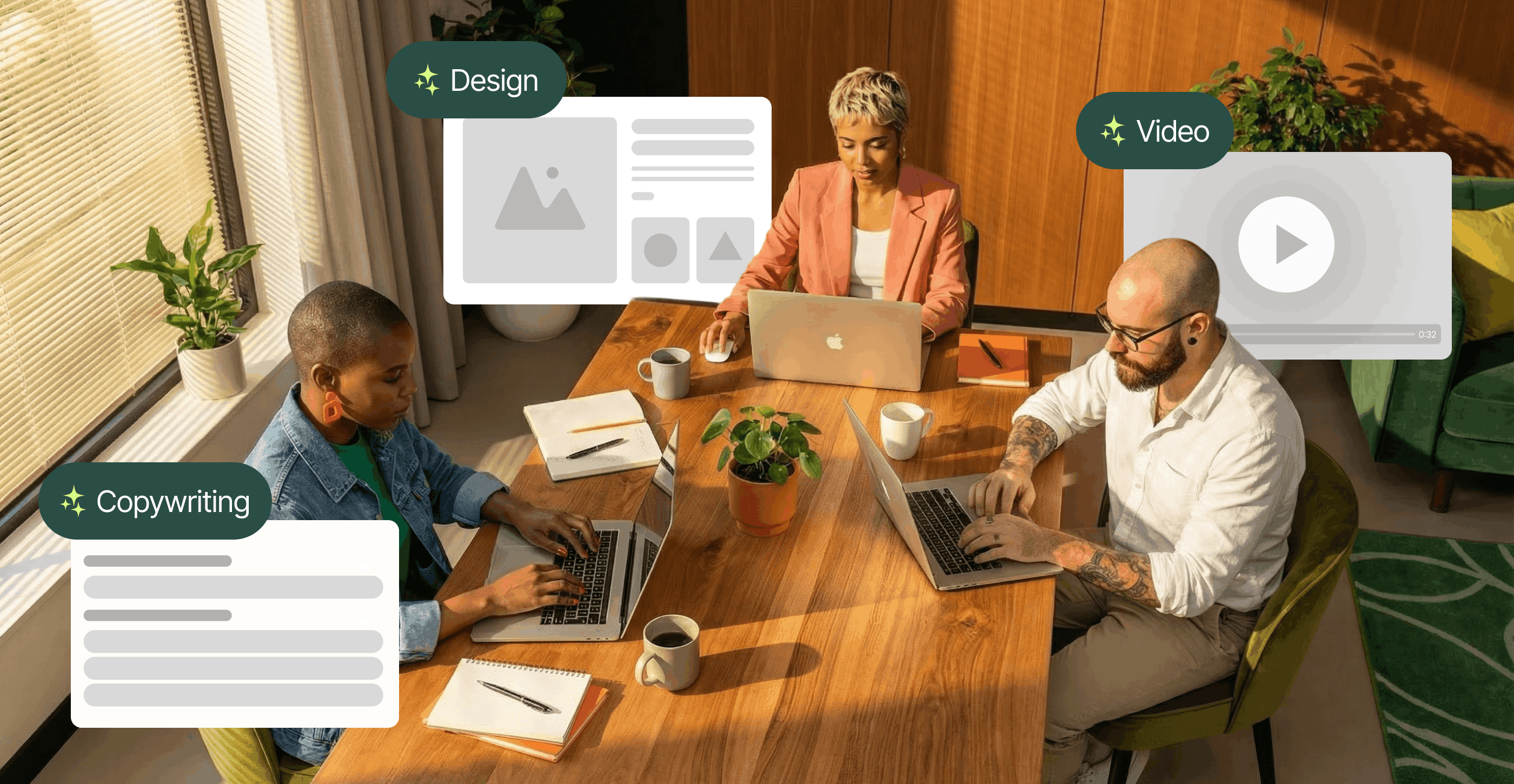


"AI for creative production" is an operating model in which AI runs through the entire production lifecycle, while people stay firmly in control of the decisions that matter. This guide explains how to connect brand context, AI, automation and human expertise across that lifecycle. It also shows the five components the model needs and what happens when one is missing.
Right now, many enterprise creative teams have an uncomfortable problem: the demand for creative output keeps rising, while team capacity doesn't keep pace.
Our Breakpoint report, based on a survey of more than 300 creative and marketing leaders, found that 86% of teams are already at or over capacity and 70% of leaders report burnout. Because 51% of creative teams' projects are considered high priority, many feel it's nearly impossible to keep up.
AI can, of course, assist. But adding a few generative AI tools to a team's tech stack usually doesn't change how quickly work moves from brief to launch. Many teams use AI tools to create first drafts fast, only to lose those gains during reviews, revisions, localization and final production.
The real opportunity in using AI for creative production is bigger than any single tool. It involves an operating model that connects brand context, AI, automation and human expertise across the entire creative lifecycle.
This practical guide explains what that model looks like, where people and generative AI each add the most value and how enterprise teams can introduce it without compromising craft or consistency. It also shows how Superside, the world's leading AI-first creative partner, applies the model to help our customers scale high-quality, on-brand creative fast.
Along the way, Aaron Amortegui, Associate Creative Director at Superside, shares what he's learned building this operating model across multiple teams.
What is AI for creative production?
"AI for creative production" refers to an operating model that uses artificial intelligence and automation across the entire creative lifecycle, from briefing and concept development to execution, versioning, localization, review and creative performance analysis.
The model helps marketing and creative teams deliver more high-quality, on-brand work faster and at greater scale, while keeping strategy, taste and final decisions in human hands.
The word "across" is important.
Using generative AI and automation for a single isolated task can save time, but it doesn't necessarily make scaling easier. Enterprise teams that win redesign their entire creative process around the technology, adding human checks where needed.
Aaron Amortegui says the payoff arrives the moment you find the work that genuinely follows rules.
Some things can be automated and others simply can't. It depends on the complexity and whether you can find patterns that live under specific rules. Once you find the patterns AI can exploit, you stop spending energy on repetitive tasks and focus on creative and strategic direction.

AI-powered vs. AI-first creative production
There are two common ways to introduce AI into creative work.
The first is to add AI-powered tools to existing workflows. A designer might use an image generator during concept development, while a copywriter creates headline variants with a large language model. The tools speed up individual tasks, but the work still passes through the same briefing, handoff, approval and production stages. If creative bottlenecks existed before, they're unlikely to shift.
The second is to build an AI-first creative operating model. Brand context is embedded in the workflow from the start, repetitive work follows defined workflows and human review happens at deliberate decision points. Each part of the system supports the next, so time saved during asset generation isn't lost later.
This is the broader shift toward AI-native creative operations: AI isn't simply bolted onto tasks. It's built into how the work gets done. This is exactly the approach Superside follows.
What AI handles and what people own
AI is strongest at handling repetitive tasks. People are strongest at the work that depends on context and judgment. Dividing the two deliberately is what makes the model hold.
| AI handles | People own |
|---|---|
| Early exploration and rapid prototyping | Business, marketing and creative strategy |
| Resizing and reformatting | The central idea |
| Asset and copy variations | Taste and originality |
| Localization and transcreation support | Cultural nuance |
| First-pass quality checks | Brand stewardship |
| Performance analysis and iteration | Legal, ethical and factual review |
| Batch production across formats | Final approval |
Generative AI can dramatically boost output, but it can't decide what deserves to be made or whether the result feels unmistakably right for the brand. The best model combines machine speed with strong human direction.
Why traditional creative production no longer works

Today's top creative teams turn to generative AI because the volume, speed and complexity of modern marketing have outgrown production systems built for a different era.
Here's what's shifted in the last few years.
Aaron Amortegui watches for one signal above all others when a team has hit its ceiling.
The first red flag is when volume starts taking away the time people have to actually think creatively. Creating and polishing one image is one thing; asking the same person to repeat that process 3,000 times, even using AI manually, is another.
1. Demand is outpacing capacity
Our Breakpoint research found 86% of creative and marketing teams at or over capacity, with 70% of leaders burned out. Meanwhile, 2025 Adobe research showed that 71% of more than 1,600 marketers surveyed expect demand for content to grow fivefold or more by 2027.
Leadership expectations are clear: teams need to make more, move faster and support more channels without a proportional increase in headcount or budget.
2. Every campaign creates a variant explosion
One campaign idea can quickly become hundreds of deliverables, adapted for different channels, audiences, languages, visuals and cultural contexts.
Manual production makes every new version another task on someone's to-do list.
The work is necessary, but much of it doesn't require a senior creative's full attention. Our guide to producing ad creative variants with AI covers how teams handle this at volume.
3. More tools can create more friction
Subscribing to another generative AI tool may improve one task but won't shift how manageable the wider workflow is. Teams still need to transfer context to every tool, move files between systems, check brand alignment and coordinate reviews.
Without shared workflows and built-in governance, a stack of disconnected AI tools can create a slow, inefficient process. The creative bottlenecks move rather than disappear, which is why how your AI tools connect matters more than how many you own.
4. Faster output can slow down review
AI can generate far more options in a morning than the average enterprise marketing team can check. If review and approval processes don't change too, speed at the beginning of the creative process creates a queue at the end.
This is why automated creative production needs human decision points, brand guardrails and clear approval paths. Production capacity and review capacity have to scale together, or you simply trade one bottleneck for another and accumulate creative debt along the way.
There's a second failure mode Aaron sees just as often, and it has nothing to do with capacity.
We sometimes give too much relevance to the AI itself, and we end up creating beautiful pieces with no real story behind them. AI should give us more space to focus on ideas, storytelling and creativity, not become the main character of the work.
The five parts of an AI-first creative production model
Achieving AI creative production at scale depends on five interconnected components. Leave one out, and the system may get faster in some places, but not better overall.
| Component | What it does | What breaks without it |
|---|---|---|
| Brand foundation | Gives AI structured context about your brand | You scale inconsistency instead of output |
| AI-assisted briefing and ideation | Turns rough requests into strong starting points | Weak briefs travel downstream and cause rework |
| Automated production, versioning and localization | Turns one approved concept into every format and market | Senior creatives spend their time resizing |
| Human-led review and governance | Places human judgment at deliberate decision points | Speed at the start becomes a queue at the end |
| Performance data and feedback loops | Feeds results back into the next round of work | The system gets faster but never gets smarter |
Let's take a closer look at each.
1. A brand foundation AI can use
Generic AI models don't know your brand. They don't understand the visual decisions your team repeats, the messaging your legal team wants to avoid, or the feedback the creative director gave on the last campaign. It's the single biggest reason so much AI-generated creative still feels off-brand.
Aaron Amortegui is blunt about how much work this actually takes.
One of the biggest misconceptions is that making AI understand a brand is easy. You can't just give it a few PDFs and expect magic.
To create consistent, on-brand work, generative AI needs structured context. This can include:
- Brand voice and messaging guidelines
- Visual rules and specifications
- Approved brand assets and past campaigns
- Target audience and market context
- Team preferences and feedback
- Examples of work that did and didn't meet the bar
At Superside, this context lives in Brand Brain, a custom, evolving intelligence layer inside our Superspace creative management platform that powers briefs, reviews and creative interactions with brand memory. It captures the details that make each customer's brand recognizable and applies relevant context from the start of every project. Our team maintains and updates those memories as new feedback and learnings emerge.
Building that foundation looks less like a setup task and more like a research project.
It's much closer to an R&D process: understanding the brand deeply and building prompt libraries, image libraries, references, rules, data and connected tools around it. The people inside the company also need to know how to use that system properly.
Where visuals are involved, custom AI image models can speed things up even more. These models are trained on carefully selected brand assets, then tested and refined against specific visual requirements.
Together, each brand's Brand Brain and custom image models help our creative teams scale output without scaling inconsistencies, which is the core of maintaining brand consistency at scale.
2. AI-assisted briefing and ideation
AI can make production more effective from the very start.
During creative briefing, it can turn a rough request into a more complete starting point by surfacing relevant brand guidelines, past decisions and missing information. This is especially useful when requests come from many stakeholders with different levels of creative expertise. Knowing how to brief AI creative tools properly is its own skill, and it's the difference between a usable first pass and noise.
A clear brief is key to delivering the best work. It not only helps align expectations on the creative side, but also makes the management process smoother by reducing back and forth and minimizing any room for confusion.

During concept development, generative AI tools can help teams explore a wider range of references, visual territories and messaging directions. Human creatives then evaluate, combine and develop the strongest ideas.
This approach gives the team more useful material to work with and more time to develop the work worth pursuing.
3. Automated production, versioning and localization
Once a concept is approved, AI can handle much of the repetitive production work that eats up time. Defined AI-powered workflows can quickly turn a master asset into channel-specific formats or ads with localized copy and image variations.
Aaron Amortegui argues the decision between automated and manual should be made before a project starts, not during it.
Understand AI's limitations before starting a project, because they determine whether you go with AI, manual production or a hybrid approach. Some clients need a level of control over their product or visual style that AI still can't deliver consistently.
This is where creative production automation creates the most obvious capacity. The team can expand an ad campaign across formats and markets without rebuilding every asset from scratch.
Automation still needs rules. Templates, approved components, naming conventions, platform specifications and localization guidance are all required to make the outputs usable.
And the inputs matter as much as the rules.
Even with automation, there's a lot of manual work behind good results. You have to give AI gold if you want AI to give you gold back.
4. Human-led review and governance

Generative AI doesn't remove the need for human review. It changes what reviewers need to look for and how quickly they need to work.
A strong creative review workflow places human checks at the right stages of the process, not just at the end. AI can flag obvious specification and brand-alignment issues, but people must still assess concept strength, originality, accuracy and context.
Clear governance should also define:
- Which generative AI systems and data sources are approved.
- When human review is mandatory.
- Who owns each decision.
- How generated content is documented.
- How questions around intellectual property, privacy and disclosure are handled.
- What happens when an output falls outside the rules.
In practice, good governance prevents late-stage rework and gives teams the confidence to move faster. Our guide to AI governance for creative teams goes deeper on building this without slowing everyone down.
5. Performance data and feedback loops
The final component connects what's delivered to what happens next.
Once assets are live, teams can use performance data to identify stronger concepts, formats and messages. They can then apply those learnings to future briefs and production decisions, turning creative production into a learning system.
This compounding advantage is something a static process simply can't match.
What AI for creative production looks like in advertising
Ad creative makes the value of this operating model easy to see. Paid media requires a steady flow of fresh concepts and variations, all tailored to specific channels, placements, audiences and markets.
This is where we concentrate much of our work. Superside's ad creative service has delivered 20k+ ad creation projects for 400+ top global brands, with a 4.9/5 average approval rating and up to 60% faster delivery using AI.
Here's how the model plays out.
1. Distinctive images without a new shoot for every need
Brand-trained AI models help our teams create original images, environments, product scenes and campaign variations without relying entirely on stock photography or organizing a new photo shoot for every asset.
Traditional photography still has an important role, particularly for hero campaigns (our own rebrand is an example) and projects that demand exact product or human representation, but AI expands our production options.
2. More video from each idea
Editing video is a notoriously time-consuming process. At Superside, AI supports video generation, storyboarding, previsualization, voiceover, editing, motion and versioning. That makes it far easier to adapt one approved idea into different cuts, lengths and formats for paid social, display and other channels.
Our human creatives remain responsible for the story, pacing, visual quality and final result.

3. Faster multi-market adaptation
Global campaigns need more than translated copy to succeed. Imagery, examples, tone and cultural references may all need to change.
AI can quickly create a first version for each market, while local experts make sure every element is accurate and culturally appropriate. The result is work that feels locally relevant yet unmistakably on-brand.
4. More useful testing
Today's performance marketing teams need a steady supply of concepts, hooks and creative variations to learn what grabs attention and drives results. Creative testing programs commonly ship 50 or more variants a month, which is a volume most in-house teams can't sustain manually.
That volume gives brands enough creative options to test, learn and improve performance. Instead of betting on a handful of ads, teams can compare enough variations to see which messages, visuals and formats actually drive results. Our roundup of AI ad creative examples shows what that looks like in market, and it's why high-volume production is a serious competitive advantage.
A 70% productivity opportunity for a global SaaS company

A fast-growing B2B SaaS company expected its creative project volume to double or triple within months. Its lean team had already tried off-the-shelf AI tools, but the experiments hadn't translated into a scalable production system.
Superside was brought in to build a custom AI solution.
The first step was an AI diagnostic. Our team mapped the company's creative workflows and identified more than 15 high-impact opportunities to use AI and creative production automation across copy, design and video. The goal was to reduce repetitive editing work and speed up asset delivery.
Next came enablement, with more than 15 hours of workshops and live coaching sessions covering creative concepting, AI-assisted copywriting and visual design tools.
Finally, we built a custom AI automation tool in Figma, the customer's design environment. This made it easy to create branded copy and image variants with one click, reducing manual editing without forcing the team into a separate system.
The engagement identified 70% productivity gains in content production and left the customer with a scalable foundation for AI-enabled growth.
Overall, it was fantastic. It set our team up for success, and honestly, this was the perfect tool for us. Your team came back with ideas we never could have built or even imagined.
The economics hold up elsewhere, too. Across custom AI image model projects, we've measured image creation that's 10x faster, takes 75% less time and costs 85% less per image than traditional approaches. Our No-Hype AI Report also notes an average 40% reduction in design time when using AI.
Our broader operating model has been independently validated. A Total Economic Impact study commissioned by Superside and conducted by Forrester Consulting (April 2025) found that a composite organization achieved a 94% ROI over three years, $4.16 million in total three-year benefits and payback in under six months.
In-house team, specialized AI tools or an AI-first creative partner?
Once you've decided to redesign your creative work around AI, you need to choose how you'll build and run the operating model. There are three options.

1. Build the capability in-house
An in-house build gives you the most control over your data, systems and priorities. It often makes sense for enterprises with mature creative operations and the budget to maintain custom workflows.
The trade-off is time and complexity. You'll need creative, operational and technical talent, plus ongoing maintenance as AI models, policies and business needs change. Hiring AI-fluent creative talent is its own challenge, since the open market doesn't produce it quickly.
2. Connect a collection of specialized AI tools
Specialized AI tools like Midjourney, Adobe Firefly and Runway are useful for focused tasks and quick experimentation. They're also relatively easy to adopt.
The challenge is using them as part of one reliable workflow. With a stack of separate tools, teams must move brand context around, manage access and governance, connect outputs to existing software and maintain workflows as platforms change.
Often, the tools create more coordination work than they remove. Speed in one step doesn't compound into speed across the system, which is the whole reason the operating model matters more than the tool count.
3. Work with an AI-first creative partner
An AI-first creative partner gives you access to defined AI workflows, creative talent and technical support, so you don't have to build the full capability alone.
This is what Superside excels at. We offer a global creative team, 50+ proven AI workflows tested on real enterprise projects, custom models and technical expertise.
When you make Superside your creative team's creative team, all work runs through Superspace, our AI-powered creative management platform, where briefs, feedback, reviews and delivery live in one place. Brand Brain adds the evolving brand context that helps every project start stronger.
Worth noting: many enterprises end up with a blend. A lean in-house team owns brand strategy and high-value decisions, while a partner provides additional expertise and production capacity when demand spikes or a project needs specialized AI support. Our roundup of AI-native creative agencies is a useful comparison if you're weighing partners.
How to introduce AI into creative production
Convinced that an AI-native creative production model is the way to go? The good news is that you don't need to transform every workflow at once. A focused rollout makes it easier to prove the model's value to leadership and manage risk.
This sequence works.
1. Map the current workflow
Document how work currently moves from request to launch. Look for repetitive tasks, slow handoffs, recurring revision cycles and places where missing context causes rework.
2. Prioritize a high-value use case
Choose a high-volume workflow with clear problems and measurable results. Asset versioning, product imagery, campaign adaptation and first-draft briefing are all good starting points.
3. Build the brand and data foundation
Gather your brand guidelines, current assets, examples of previous work and past stakeholder feedback. Confirm what data can be used, where it can be stored and which systems meet your legal and security requirements. Then feed that information into the system.
4. Design the human decision points
Decide where people need to review, approve or intervene. Define roles and standards before you increase volume, so reviewers know what they're responsible for and everyone knows exactly what "ready to ship" means.
5. Train the team in the workflow
Training your team on how to use AI tools isn't enough. They also need to understand how to apply the workflow to their specific role and where creative quality control matters most.
If you need to build a training curriculum, our article on AI upskilling shares practical guidance, and our AI roadmap for creative teams lays out the wider phased plan.
6. Measure the full system
Track the right metrics. These might include:
- Time from brief to delivery
- Number of usable assets produced
- Review rounds and rework
- Brand-alignment scores
- Cost per approved asset
- Creative performance
- Team adoption and satisfaction
Then use the results to improve the workflow before you expand it to the next use case. Our framework for measuring AI ROI for creative teams is a useful companion here.
Build the operating model, not just the toolkit
Nailing AI creative production at scale means building a better operating system, not buying more software.
Access to the latest generative tools and good prompt engineering aren't enough. Enterprise teams also need AI-powered workflows, well-placed human reviews, clear governance and a way to apply relevant brand context and performance insights to future work.
Superside brings all these elements together in one AI-first creative partnership. Our global team of top-tier creatives, AI excellence philosophy, Brand Brain system, Superspace platform and custom technical solutions help in-house teams at brands like Intuit, Amazon, DoorDash, Figma and Reddit increase capacity without handing creative control to a machine.
Being AI-first means AI isn't just powering individual tools. It's embedded across the entire creative model, from how teams are trained to how brand knowledge compounds over time. That's the thinking behind our human-led, AI-powered approach: great creative still needs great creatives.
If you want to see what this operating model could look like for your team, explore our AI creative service or book a call.
FAQs


Get top creative 5x faster
Superside’s integrated human + AI workflows unlock
faster delivery, scalable output and campaign-ready
assets, without burning out your team.



Creative teams are at a breaking point
The pressure is real, the opportunity is too.
Get insights from 300+ leaders on
beating burnout, using AI wisely
and navigating 2026’s inflection point.


How 400+ brands get more work done, without doing more
They Superside it. Fast, high-quality creative from the
AI-powered creative service that handles it all.


Meet Customers Who’ve Experienced Exceptional ROI
Discover how Shopify got 4,375 assets in 12-24 hours or how Amazon saved 345 hours in three months.


The real story behind GenAI’s impact on creative
You've heard the hype. But what does the data say?


Ready to see it in action?
The best way to understand it is to experience it.
Because once your creative system has memory,
you won’t want to go back to starting from scratch.


Your creative team's creative team
Choose the world's leading AI-powered creative service
and get high-performing ads, videos, experiences and
more at scale, on your schedule and to your standards.