


Most creative teams know how to choose and use AI tools by now. The harder challenge is connecting them, and the fix comes down to five integration mechanisms plus an emerging standard called the Model Context Protocol. Inside, you'll also get the build-versus-partner decision and the reason integration without brand memory just scales inconsistency faster.
AI adoption is now widespread across the creative landscape. According to research from Adobe and Advanis, creative professionals use AI on more than 40% of the projects they produce, and many use AI tools for at least half their work week.
In most setups, however, those tools live in separate tabs, disconnected from the design files, brand assets and project systems where the work actually happens. Teams still move context, files and outputs between systems by hand, which adds creative friction and eats into the efficiency gains AI promised.
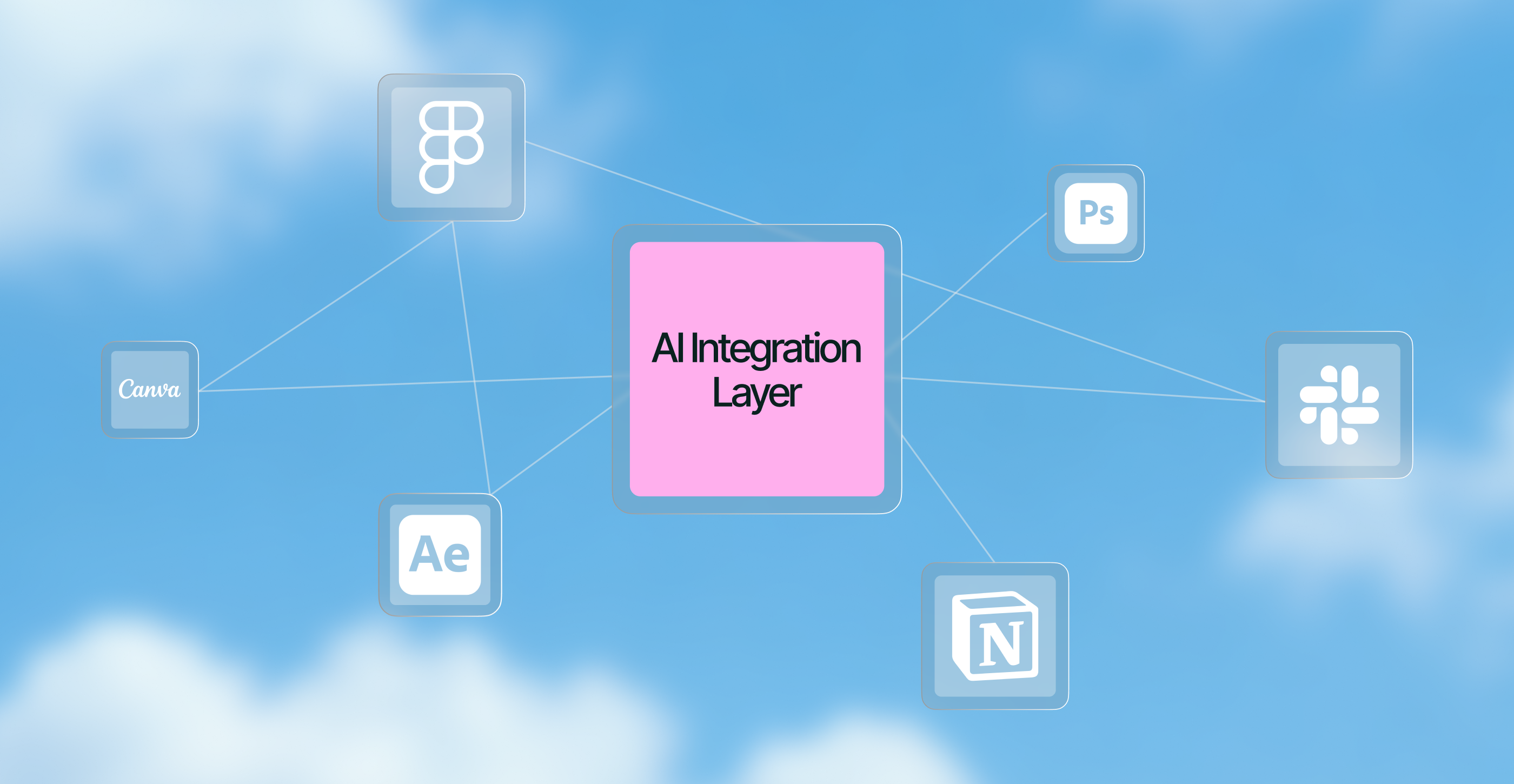
AI creative integrations solve that problem by connecting AI to the software and systems teams already use. Plugins, APIs, connectors and emerging standards such as the Model Context Protocol let context and data move across the workflow instead of sitting beside it.
This guide explains what AI creative integrations are, the five ways AI capabilities connect to your stack, why MCP matters and how to keep integrated AI on-brand. Most importantly, it unpacks when to build the integration layer in-house and when to work with a partner that already has the technical expertise.
Along the way, Manuel Palenque, Senior Creative Technologist at Superside, shares what he sees when teams try to wire AI into the tools they already run.
The problem was never a shortage of AI tools
The vast majority of creative and marketing teams have embraced AI. They're using image generators, copy assistants, video tools and AI features built into their design apps. But adoption doesn't equal integration, and in many teams these tools still sit apart from the systems where creative work happens.
Individual tools speed up individual tasks. Meanwhile, teams keep copying context between systems, uploading and downloading files and manually moving outputs through the workflow. Difficulty integrating AI with existing workflows and systems is a recurring barrier to adoption, and it's a structural problem rather than a training one.
Ask Manuel Palenque what he notices first in a team that hasn't connected its tools yet, and he points at all the exporting.
The first sign is how much exporting is going on. A frame screenshotted into a chat, a render downloaded and re-uploaded somewhere else, the same brief retyped into three tools. Every individual step got faster and the project didn't.

That helps explain the gap between using AI and getting real value from it. McKinsey's 2026 State of AI research found that nearly nine in ten organizations now use AI in at least one business function and 44% say they're scaling it across the enterprise, yet only 37% can attribute any EBIT impact to it and just 6% qualify as AI high performers.
To move beyond isolated tasks, AI needs access to the context that shapes the work: brand assets, creative project history and performance data. That's what AI creative integrations deliver.
What are AI creative integrations?
AI creative integrations are the connections that let AI capabilities work with the design, asset, project and marketing tools your team already uses. They allow AI tools to access relevant context, exchange data and trigger actions across the systems where creative work already happens.
It helps to see the three broad approaches side by side.
| Approach | What it is | The trade-off |
|---|---|---|
| Point tools | Standalone AI apps you open on their own | Powerful in isolation, but context and outputs have to be moved between systems by hand |
| All-in-one AI platforms | A single environment bundling many AI capabilities | Less fragmented, but can tie you to one ecosystem and rarely covers everything a team needs |
| Integrations | AI connected to the tools you already run, through plugins, APIs, connectors and protocols | Scales without a rip-and-replace, but requires deliberate setup and governance |
In practice, teams use a mix of all three, and integration is the connective tissue that makes the mix usable. Without it, every new tool is another island. Our comparison of AI creative tools and all-in-one platforms goes deeper, and many creatives are surprised to discover how much AI is already built into the tools they use.
Not every task deserves an integration, though. Asked when a standalone tool is still the better choice, Palenque draws the line around one-off and exploratory work.
A simple setup wins when the task is a one-off, or when you're still figuring out what you want. For exploring a look or testing an idea, a standalone tool with a person driving it beats anything you'd wire up.
The real problem underneath, tool sprawl and a fragmented stack

Companies have more technology at their disposal than ever. BetterCloud's State of SaaS research puts the average company at a projected 118 SaaS applications in 2026, up from 106 the year before, and marketers can now choose from more than 15,500 martech tools.
Every tool adds another login, another data silo and another handoff, and that fragmentation carries a real cost. McKinsey found that 47% of martech decision-makers cite stack complexity and system and data integration challenges as key blockers preventing them from getting value out of their tools.
There's a human cost too. In one Harvard Business Review study of Fortune 500 teams, workers toggled between applications roughly 1,200 times a day, losing close to four hours a week just reorienting after each switch. Creative teams in particular spend a significant share of their time on non-creative work like hunting for assets and moving files between systems.
Palenque has a name for the person who ends up absorbing that cost.
There's usually one person who quietly became the human API between the tools, moving context around all day, and nobody counts that as work.
Piling more AI onto that stack without connecting it makes the sprawl worse, not better. You end up with more capability and more fragmentation at the same time. The way out isn't fewer capabilities. It's connecting them, so the creative workflow operates as one system instead of a dozen disconnected steps.
5 ways AI can plug into a creative stack
AI connects to your stack in five main ways, each with different levels of flexibility, depth and complexity.
| Mechanism | How deep it reaches | Best for |
|---|---|---|
| Native and embedded AI | Whatever the vendor built | Quick wins with zero setup |
| Plugins and extensions | Inside a single tool | Tools your team works in all day |
| APIs | Deep and fully programmable | High-volume, automated production |
| Connectors and automation | Between systems | Moving assets and data without manual handoffs |
| MCP and AI agents | Across many systems at once | Agents that need context from your whole stack |
1. Native and embedded AI
The simplest integration is the one your software provider already built. Design and content tools increasingly ship with native AI, from generative image editing and background removal to layout suggestions and copy assistance.
The trade-off is that you're limited to what the vendor built, and the AI usually has little access to the deeper brand context that guides your work. For a map of what's available natively, explore our guides to AI design tools and AI-powered design platforms.
In Palenque's experience, this is where nearly every team starts.
Almost everyone starts with what's already inside the tools they use, native features first, then plugins. It's zero setup and you can test it in the middle of a real project.
2. Plugins and extensions
Plugins extend a tool with capabilities that aren't available natively. A good example is the Figma plugin ecosystem, where the Plugin API supports both read and write access to Figma's editors, letting developers view, create and modify file contents. That's how AI features reach designers without pulling them off the canvas.
Custom plugins go a step further, embedding a team-specific AI workflow directly into the day-to-day design process.
3. APIs
APIs offer the most flexible integration. They let you call AI capabilities programmatically and build them into your own production pipelines.
Adobe, for example, offers Firefly Services, a set of generative APIs covering tasks like text-to-image and generative fill at scale. APIs are how you automate real volume. The trade-off is that they require engineering capacity to implement, secure and maintain, which is where many in-house teams hit a ceiling.
4. Connectors and automation platforms
Connectors provide prebuilt links between tools, letting assets and data move between design tools, digital asset management, content platforms and ad channels. Automation platforms build on those connections with triggers, webhooks and rules.
In practice, an approved asset can flow from a design tool into your DAM and out to the right channel with no manual downloading and re-uploading at each step. Our guides to creative automation services and automated creative production cover this layer in depth.
5. Model Context Protocol
The newest mechanism is MCP, an open standard that gives AI applications a common way to connect to external tools and data. It's especially useful for AI agents, which can use MCP connections to reach the context and tools they need across multiple systems rather than relying on a bespoke integration for every connection.
Before you reach for it, though, Palenque warns that the first thing to break is rarely the connection itself.
It's usually the inputs. Agents are only as good as the structure you give them, and most files aren't structured. With Figma MCP, if the layers aren't named with a clear convention the model guesses, and you end up with something that looks right and behaves wrong.
MCP, the new integration standard for creative teams
If you take one forward-looking idea from this guide, make it this one. MCP is an open standard introduced by Anthropic to connect AI systems to the places where data and tools live, replacing fragmented one-off integrations with a single protocol. The principle is integrate once, use everywhere.
It has moved quickly from novelty toward shared infrastructure. In December 2025, Anthropic donated MCP to the Agentic AI Foundation, a directed fund under the Linux Foundation co-founded with Block and OpenAI, giving the standard a vendor-neutral home. Day-to-day technical direction still sits with MCP's existing maintainers, but the move signals that this is becoming industry plumbing rather than one company's feature.
For creative teams, the practical implications are significant. The Figma MCP server gives AI agents direct access to design context, letting them pull in variables, components and layout data. Notably, it now works in both directions, so agents can also write native Figma content back to the canvas rather than only reading from it.
Palenque has felt that shift firsthand in his own work.
APIs and MCP start to make sense when you can finally give the model the real context: the design file, the assets, the project. For me the jump was Figma MCP in VS Code, going from generating a component to implementing a designer's actual layout.
Extend that across the stack and the potential becomes clear. An AI agent could pull brand guidelines and approved assets from connected systems, check a design against defined rules and push the resulting file into a project tool. Where those systems support the necessary connections and permissions, MCP provides a common way for the agent to reach them, reducing how often a person has to shuttle files and context between tabs.
Teams that adopt this architecture early reduce integration overhead as their AI workflows and creative operations expand. The integration layer, rather than any individual tool, is where the advantage compounds.
Integrating AI across each layer of the creative stack
You don't need to connect every AI tool to every system. Focus on the points where AI needs context, where work changes hands or where manual steps slow your team down.
- Design tools. Figma, Adobe and others already support native AI, plugins and APIs, so generation, editing and adaptation can happen where designers already work. The goal is to keep creatives in one canvas instead of hopping between tools.
- Digital asset management. Your DAM holds the approved, on-brand assets, which makes it one of the most valuable systems to connect AI to. Integrated well, AI can find and pull approved assets, then return new ones with the right metadata and tags, which cuts manual searching and helps maintain brand consistency.
- Project management. Tools like Asana, Jira and Monday keep work moving. Connect AI here and it can help turn briefs into tasks, update statuses and route work to the right people, reducing the coordination overhead that slows creative teams down.
- Ad platforms and creative automation. On the output side, integrations connect production to ad platforms and distribution channels, while creative automation tools handle the resizing, versioning and localization that turn one concept into a full set of placements.
- Data and analytics. The loop closes when campaign results flow back into creative decisions. An integrated analytics platform like Superads shows which concepts, messages and assets performed best, so the next brief starts from evidence rather than opinion.
The challenge, integrations that keep work on-brand

Connection alone doesn't make AI brand-aware. Without the right context, every AI touchpoint becomes a place where generic output and brand drift creep in.
Wire up a dozen integrations around a generic model and you've industrialized the production of off-brand work.
Brand drift isn't the only thing that goes wrong at this stage. Palenque points to two more practical failures he sees teams walk into.
The other problem is cost. Context is what burns your credits, so teams connect everything at once, max out after ten prompts and decide the tool doesn't work. And you still need someone watching, because agents like to add their own creative flair when nobody asked for it.
The fix is to give the integrated system access to both brand-trained models and living brand context, so it produces work that reflects your brand from the first draft. Getting AI to actually follow your brand takes more than a prompt, which we break down in our guide to giving AI your brand guidelines.
Superside addresses this with custom AI image models trained on your visual identity and Brand Brain, the AI intelligence layer inside our Superspace platform that captures and applies brand context across every project. Each customer's Brand Brain is unique to them and sharpens with every project.
Integration without brand memory means faster output and faster brand drift. Integration with it means on-brand creative at scale.
Build the integration layer yourself, or partner with an expert

At this point you're probably weighing the real question. Build your own AI integration layer, or partner with someone who already has the technical expertise?
An in-house setup gives you full control. It also requires engineering talent, ongoing maintenance and tolerance for an ecosystem that changes monthly. Building it yourself means solving several hard problems on your own: creating persistent brand memory across tools, building an execution layer that takes work from brief to finished asset and designing feedback loops so the system improves over time.
This is where an AI-first creative partner like Superside (us!) changes the math. Being AI-first means AI isn't just powering individual tools. It's embedded across the entire creative model, from how teams are trained to how brand knowledge compounds over time.
If you want the operating layer built into your own stack, Superside's forward-deployed engineers can design and implement it.
That work spans platform integrations, custom Figma plugins, custom AI skills and extensions, workflow mapping and system restructuring, performance-data plumbing, plus the change management and training that turns infrastructure into something your team actually uses.
Or, if you'd rather not build and maintain a system at all, Superside can simply become your creative team's AI-native creative team. Superspace brings briefs, feedback and delivery into one AI-powered platform instead of a patchwork of apps.
Brand Brain captures and applies your brand context across projects. Automated workflows and custom AI image models bring speed and scale. And our top-tier creative talent, more than 800 Supersiders across 67 countries with almost 100% AI-certified, provides the strategy, craft and judgment that keep the work on-brand.
We've seen how much difference this makes in practice. A fast-growing B2B SaaS company came to us when individual AI tools weren't delivering the efficiency it needed. We mapped its workflows, ran an AI diagnostic, built a custom Figma plugin that lets designers create branded assets at the click of a button and upskilled the creative team through hands-on workshops.
The engagement identified 70% productivity gains in content production and left a scalable foundation for AI-enabled growth.
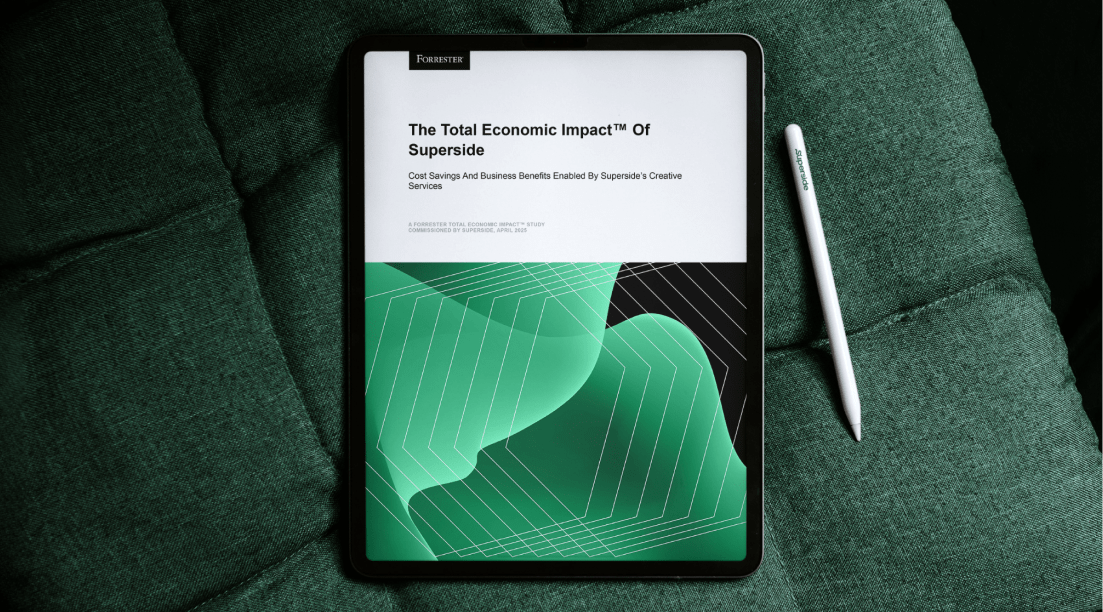
Across our wider work, a commissioned Forrester Total Economic Impact study (April 2025) found a composite Superside customer achieved a 94% ROI with payback in under six months. That return comes largely from scaling creative output without scaling cost at the same rate.
How to get started with AI creative integrations
You don't need to integrate everything at once. Start where AI can remove the most friction, then build from there.
- Map the workflow first. Document how work moves from brief to delivery and identify where people manually copy context, files or information between tools. Those handoffs are your first integration targets.
- Audit your stack. List the tools you already use and where AI capabilities already exist. You may have more native functionality than you realize.
- Choose the right mechanism per tool. Use native features when they do the job, plugins for tools your team uses daily, APIs when you need automation at scale and connectors or MCP to link systems together.
- Build in brand consistency before you scale. Connect brand-trained models and a brand memory layer early, or scaling your operations will scale brand drift too.
- Pilot, measure, then expand. Start with one high-volume workflow and measure time saved, rework reduced and brand consistency. Our framework for experimenting with AI in creative workflows is a sensible template.
- Set governance rules. Define clear guardrails for IP, security and brand before expanding integrations across your creative operations.
On how to choose that first target, Palenque uses a simple test.
Integration is worth it when the same steps repeat and someone is doing them by hand every week. I've built scripts that took longer to write than doing the task manually once, and it still paid off, because after that it's a 5-second job instead of a 9-minute one. If the task never comes back, don't integrate it.
AI creative integration is where the advantage lives
In 2026 and beyond, the creative and marketing teams that pull ahead will be the ones whose AI tools, brand context and workflows are connected.
When AI can access your brand, assets and data, it can support the entire creative workflow. At that point AI stops being a collection of standalone productivity tools and becomes an operating layer that makes real creative scale possible.
Palenque describes that shift in terms of what a team can finally hand over.
Teams can hand over intent instead of files. Once the AI can read the design file, the brand assets and the project context, you ask for the change and it happens where the work already lives, not in a separate tab you then have to reconcile.
You can build that layer yourself, work with a partner that builds it into your stack or plug into an AI-native creative operation that already runs on one. Superside offers both of the latter two paths: forward-deployed engineers who can wire the integrations, custom workflows and automation into your own systems, or a full creative partnership running on Superspace with Brand Brain at its center.
To see what an integrated, AI-native creative operation could look like for your team, book a call with Superside.
FAQs





Get top creative 5x faster
Superside’s integrated human + AI workflows unlock
faster delivery, scalable output and campaign-ready
assets, without burning out your team.


Give your internal teams the power to boost your brand
Publish once. Deliver everywhere. Our Creative Ops platform
puts your brand in front of the right people, everywhere.
Unlock seamless content distribution. Access your audience.
Get top creative 5x faster
Superside’s integrated human + AI workflows unlock
faster delivery, scalable output and campaign-ready
assets, without burning out your team.


Ready to see it in action?
The best way to understand it is to experience it.
Because once your creative system has memory,
you won’t want to go back to starting from scratch.

The data speaks for itself
According to a Forrester Total Economic Impact™ study, Superside delivers a 94% ROI and pays for itself in six months.


Your creative team's creative team
Choose the world's leading AI-powered creative service
and get high-performing ads, videos, experiences and
more at scale, on your schedule and to your standards.