

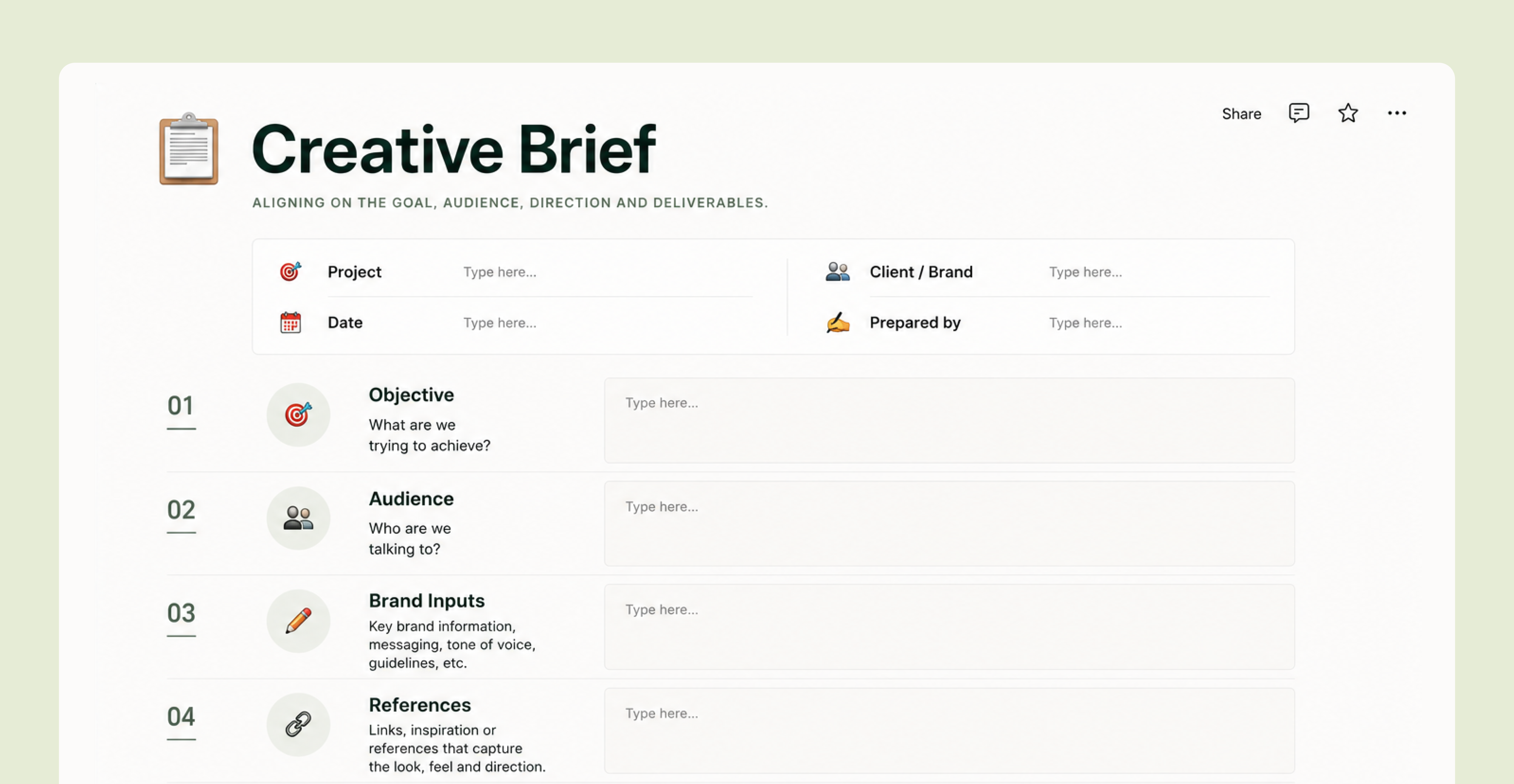
AI creative tools are only as good as the brief behind them, yet most teams still prompt them like a search box and blame the tool when the results come back generic. This is a practical framework for briefing AI the way you brief a creative team: a reusable nine-part structure, tool-by-tool guidance for the five tools marketing teams use most and the point where prompting alone stops scaling. That's where Brand Brain and Superside's human-led, AI-first model take over.
Imagine telling a designer, "create a great ad" without any context. No notes on the target audience, product or brand standards. If the result misses the mark, you wouldn't blame the designer, would you? You'd blame the brief.
Yet that's exactly how many enterprise marketing teams use AI. Someone opens a tool, types "create an ad for our new product," and gets a disappointing result. They tweak the prompt, try again and get more of the same. The verdict: AI is overhyped.
Here's what many marketing teams still miss. A prompt is a brief. AI simply follows your instructions, and if you give it vague input, the output will be generic.
That's why teams that brief AI the way they brief their creatives consistently outperform those that still write prompts like search queries.
The good news? Learning how to prompt AI for marketing involves many of the same briefing principles marketing teams already use. But there are a few twists. This article shares a practical, reusable framework for how to brief AI creative tools, along with tool-specific tips and real AI prompts for marketing teams that want to nail AI creative briefing.
AI prompts are creative briefing in a new form
Every experienced marketing leader has suffered the cost of a bad creative brief. Unclear instructions lead to work that misses the mark. Then countless revision rounds and frustrating creative bottlenecks follow.
This scenario is, in fact, so common that only 10% of creative professionals feel they're briefed well. On the other hand, 80% of marketers believe their briefs are on-point. This gap between what marketers think they've communicated and what creatives actually receive is where projects start to go off track.
AI, unfortunately, only amplifies the problem. Instead of producing a single poor result from a vague brief, the AI tool happily produces hundreds of off-brand outputs within minutes. If there's one thing you remember after reading this article, it's this: one-liner prompts simply don't work in enterprise creative environments. A request like "give me 10 creative ideas for our new campaign" gives the AI tool zilch to work with.
Much like a creative team needs a proper brief to produce good work, AI needs a strong prompt, written by a human, to produce good output.

Instead, humans must do the thinking first and then share sufficient information on the audience, customer pain points, past campaign successes, brand tone of voice and more as part of a solid creative brief that determines the quality of everything that follows. When the brief is vague, AI produces generic outputs.
But when you share a strong brief, AI can produce high-quality, on-brand work.
I'm the brain and AI is the hands. What I focus on is being very precise about what I need, how I need it and how I frame it.

An important part of the process is to match the creative brief to the right phase of production:
- During ideation, prioritize exploration over precision. Give the tool enough context to generate a wide range of ideas, then refine the strongest directions.
- During production, shift from possibilities to precision. Include detailed guidelines, specs, guardrails and references so the final asset is as close to perfect as possible.
This approach mirrors the logic of Superside's six-phase AI creative framework for performance marketing: explore ideas first, then refine and test them.
The anatomy of a great AI creative brief
A good AI brief contains the same information you'd give a human creative, organized in a way that AI can easily interpret. Use the nine-part AI brief framework below as a reusable template, and run through it for every brief to avoid missing details that can weaken the output:
- Role and context: Tell the AI tool what its role is, and the situation, like "you're a senior B2B copywriter for a fintech brand launching a new feature."
- Objective: Share the asset's job, in business terms. Not "create an ad," but "create an ad that makes risk leaders curious enough to book a demo."
- Audience: Tell the tool who the ad is for, beyond demographics. Think role, pain points, beliefs or what would stop the target customer mid-scroll.
- Core message: Share the one thing you want the audience to remember.
- Brand guardrails: Specify voice and tone, visual style, colors, logo rules, a list of explicit don'ts and any other important info. This is where most off-brand AI output is prevented or created.
- Format and specs: Clarify the channel, dimensions, aspect ratios, length and file type. Is the asset a LinkedIn feed image, a 30-second vertical video for Meta or a 150-character headline? Be specific.
- References: Include examples of the style and mood you're after, and what you don't want. "Like this, not that" is the single most powerful input for visual AI tools.
- Constraints: Specify must-include and must-avoid elements. Think required legal language, banned claims, competitor names to avoid and accessibility requirements.
- Output: Tell the tool exactly what you want it to produce, and how many versions you need, like "10 headline options and three visual concepts."
Now, let's take the B2B fintech product example and see what a full prompt would look like:
| Prompt |
|---|
| You're a senior B2B copywriter for a fintech brand launching a new feature. Objective: create a LinkedIn ad that gets risk and fraud leaders at mid-market banks to book a demo of our new AI fraud-detection feature. Audience: skeptical, risk-averse heads of fraud who have been burned by overhyped tools. Core message: catch fraud earlier, with fewer false positives, without adding headcount. Brand voice: confident, precise, no hype, no jargon. Visual style: clean, modern, deep navy with one electric-green accent, real-feeling, not stock. Format: 1080x1080, headline under 10 words plus one supporting line. Constraints: no fake statistics, no images of literal padlocks or hooded hackers. Output: five headline-and-visual-concept pairs I can choose from. |
How to brief the five AI creative tools marketing teams use most
Next, we'll explore how the AI brief framework can be applied to the tools your team already uses. The framework stays the same, no matter which AI tool you use (it can also brief human creatives). What changes is how you tailor the brief for the most popular AI creative tools.
1. ChatGPT (OpenAI) for copy, concepts and first-draft briefs

Best for: ideation, copywriting, messaging variations and audience analysis. It can also be the text workhorse for drafting the briefs you'll feed other tools.
How to brief: assign it a role, provide the full project context and ask for a specific number of options in a specific format. ChatGPT rewards iteration, so treat the first outputs as a starting point and then refine them. Ask the tool to make the next outputs punchier, more skeptical and more on-brand. Paste in your actual brand voice guidelines and past high-performing copy so it matches your voice, not the internet's.
Sample prompt: "You're a senior B2B copywriter for a confident, no-hype fintech brand. Here are our voice guidelines and three past ads that performed well [paste]. Write 10 LinkedIn headlines under 10 words for our AI fraud-detection launch, aimed at skeptical heads of fraud. The message: catch fraud earlier with fewer false positives. Avoid hype words and jargon. Return them as a numbered list with a one-line rationale each."
Common pitfall: accepting the first answer. The first response gives you the average, while the gold comes from refinement. Also always fact-check anything ChatGPT states as a statistic, since these are often fabrications.
2. Midjourney for premium, stylized visual concepts

Best for: high-quality, art-directed imagery and visual exploration. Midjourney excels at producing mood boards, concepting and hero visuals.
How to brief: image tools work best with a clear description of the scene and a few technical details. Avoid long prose explaining your strategy. Lead with subject and composition, then style, lighting and mood, and lastly technical parameters like aspect ratio. Use reference images to anchor the look, and use negative parameters to exclude what you don't want. Keep the strategy in your head and translate it into visual language.
Sample prompt: "Create an editorial photo of a calm fraud analyst in a modern bank office, studying a clean fraud-detection dashboard, minimalist workspace, deep navy and electric-green color palette, soft natural window light, premium editorial photography, shot on 35mm film, shallow depth of field, clean composition --ar 1:1 --style raw --no padlocks, hooded figures, binary code, clutter."
Common pitfall: writing Midjourney prompts like ChatGPT prompts. Midjourney needs vivid, concrete visual direction and references rather than objective or audience-focused prompts.
Bonus tip: keep brand specifics like exact hex colors for the human finishing pass, since Midjourney approximates rather than matches them precisely.
3. Adobe Firefly for brand-safe, production-ready imagery

Best for: enterprise teams with strict legal and brand requirements, as Adobe Firefly's own models are trained on licensed and public-domain content. It's the tool to reach for when an asset is going live and the brand and legal stakes are high.
How to brief: start with the same visual description you'd use for Midjourney, then reinforce it with your brand guardrails.
Sample prompt: "Create an editorial photo of a calm fraud analyst in a modern bank office, studying a clean fraud-detection dashboard, minimalist workspace, deep navy and electric-green color palette, soft natural window light, premium editorial photography." Then apply your uploaded brand reference images, style references, color palette and any typography or composition controls available in Firefly.
Common pitfall: assuming the asset is ready to ship because brand guardrails were supplied. A human still needs to verify it adheres to your brand guidelines, meets legal and compliance requirements and communicates the right message.
4. Runway for AI video and motion

Best for: social content, video teasers and bringing static visuals to life. Runway excels at cinematic motion.
How to brief: think like a director, not a copywriter. Describe the shot: subject, action, camera movement, pacing and mood, one scene at a time. Vague prompts produce vague, uncanny motion, so be specific about what should move and how. Generate short clips, choose the best and plan for human editing to assemble and polish the final asset.
Sample prompt: "A slow push-in on a clean data dashboard in a modern bank office, subtle UI elements animating as a fraud alert resolves to green. Calm and confident mood, soft depth of field, 6 seconds, no text." Then iterate per scene.
Common pitfall: expecting a finished asset from one prompt. Video is the area where human editing, sound and brand finishing matter most. Use Runway to generate raw material, not final cuts.
5. Google Gemini, the multimodal workhorse

Best for: multimodal work that combines text, images and analysis. Google Gemini can analyze documents, brand guidelines and references, then generate or refine assets based on that context.
How to brief: take advantage of the multimodality. Upload competitor ads, your own brand guidelines and past creative. Then ask Gemini to analyze what your competitors do and brief against them. Give it clear documents to ground its answers rather than relying on its general knowledge.
Sample prompt: "Attached are our brand guidelines, our last campaign and three competitor fraud-detection ads. Summarize the visual and messaging conventions of the category, then give me three campaign territories that feel distinct from competitors but consistent with our brand, with a sample headline and visual direction for each."
Common pitfall: using Gemini as a generic chatbot. Instead, use it to reason over the specific material you give it. Feed it your real inputs, or you get the same averaged output as everywhere else.
Where prompting alone hits a wall for enterprises

These techniques will improve anyone's AI prompting. But if you're part of an enterprise team, prompting alone will only get you so far.
The first hurdle is brand consistency at scale. A well-written prompt can produce a great asset. But it can't guarantee that the next creative on your team, or in another market, will get the same on-brand result. Because generic AI tools don't remember your brand, every prompt starts from scratch. Small differences in how people describe the brand eventually lead to large-scale brand drift.
The second hurdle is a lack of expertise in prompting. Each AI tool works differently, which means marketing teams need to learn distinct prompting techniques for each. That's manageable on a small scale. But expecting every team member across a large organization to become an expert at prompt engineering isn't realistic.
The third hurdle is governance. While it's easy to generate content with AI, it's much harder to ensure the AI creative is accurate, on-brand, compliant and ready to publish. At enterprise scale, every AI-generated asset still needs to be reviewed by humans to ensure brand, legal and quality standards are met. The stakes are simply too high.
The fourth hurdle is tool sprawl. When teams have to constantly move between platforms, it wastes time and energy. Before long, managing the tools starts eating into the efficiency gains AI was supposed to bring.
The bottom line: past a certain scale, a good creative brief is necessary, but it's not enough. Enterprise marketing teams also need systems that carry the brand, bridge the prompting expertise gap, consolidate the tools and help deliver high-quality, on-brand work at speed.
How Superside makes great AI briefing the default
Superside is the world's leading AI-first creative partner. We help in-house marketing and creative teams at brands like Intuit, Amazon, DoorDash, Figma and Reddit scale on-brand creative through a human-led, AI-native model. Being AI-first means AI isn't just powering individual tools. It's embedded across the entire creative model, from how teams are trained to how brand knowledge compounds over time.
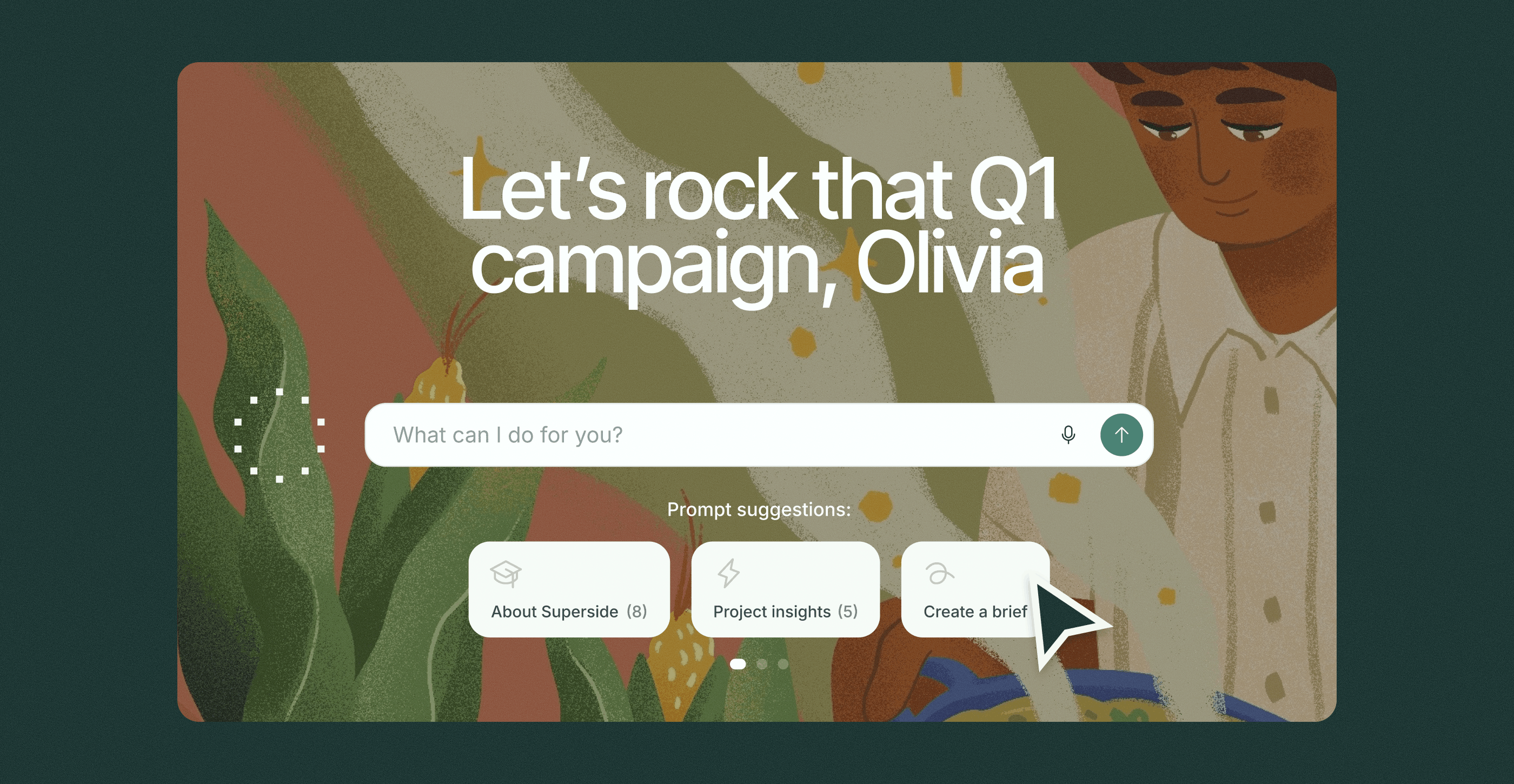
Inside Superspace, our creative management platform, Brand Brain powers AI briefing that automatically turns rough creative requests into structured, on-brand briefs.

Instead of switching between five different AI tools, everything happens in a single system. A team member shares a rough idea, and the AI fills in the specs, references, tone and context, pulling from your brand's living memory. This means the brief is complete and on-brand before any work begins. It's the nine-part AI brief framework above, generated for you and grounded in your brand rather than the internet's average.
While a generic tool forgets your brand after every prompt, your unique Brand Brain remembers everything you've shared with it. It's also how the custom AI image models and automated workflows inside Superspace deliver on-brand output by default.
When you make Superside your creative team's creative team, AI becomes the hands that do the heavy lifting, while senior creatives remain the brains behind the output. Every part of the process stays human-led. Our creatives own strategy, taste and the final quality bar, the elements that turn a promising AI draft into work that moves your brand forward. That's how we deliver creative velocity without sacrificing quality or consistency.
Prompting tools yourself and partnering with an AI-first creative team from Superside aren't the same thing. One gives you rough, off-brand drafts. The other gives you finished, on-brand creative at scale.
Brief the machine like you'd brief your team
Ten years from now, nobody will remember which prompt generated that memorable, high-converting ad. They'll remember the team that turned AI into a repeatable creative system.
The reusable framework for how to brief AI creative tools, along with the tool-specific tips shared in this article, gives your team everything it needs to start writing better briefs today. The final piece is a system that carries your brand context forward, paired with a human-led creative partner who knows how to put it to work.
This is exactly what Superside delivers. Brand Brain, the AI layer inside Superspace, turns your rough requests into on-brand briefs, while our world-class, AI-certified creatives turn those briefs into work that drives standout results.
If you'd rather spend less time teaching your team to prompt several different AI tools and more time shipping on-brand creative, it's time to book a Superside demo.
FAQs



Meet Customers Who’ve Experienced Exceptional ROI
Discover how Shopify got 4,375 assets in 12-24 hours or how Amazon saved 345 hours in three months.


Ready to see it in action?
The best way to understand it is to experience it.
Because once your creative system has memory,
you won’t want to go back to starting from scratch.


Increase your creative capacity
Let your in-house team reach for the stars,
while Superside keeps your day-to-day creative needs
at an industry-leading level. Ready to scale?