


Better AI tools and sharper prompts don't make creative teams faster on their own, because AI scales whatever system already exists, chaos included. Drawing on Shift: The Creative AI Summit, this guide defines creative workflow management, shows why workflows break at scale and lays out a four-layer system of brand knowledge, standards, documentation and automation, built in that order. Get the system right first, and AI turns into a real multiplier instead of a faster way to make a mess.
Many creative teams think better AI tools and sharper prompts will help them produce creative work faster. But faster generation doesn't automatically mean faster delivery. If approvals stall because the work isn't right, your team can generate assets in seconds and still spend days getting them out the door.
The reality is that AI alone won't fix your creative bottlenecks. Added to a chaotic creative production workflow, it may even slow things down. True speed comes from a strong underlying system.
A good creative workflow is that system, connecting people, processes and tools. Shared brand knowledge, clear creative quality standards and documented processes all form part of it, helping both your AI tools and your team work faster and more efficiently.
If you're stuck inside a system that doesn't give you the speed you need, sit tight.
This guide unpacks why creative workflows break down at scale, what a successful creative production workflow looks like and how to build a four-layer system that turns fast, AI-generated output into high-quality, on-brand creative.
Drawing on lessons shared at Shift: The Creative AI Summit, it also shows how Superside puts these principles into practice through an operating model that combines top creative talent, AI excellence and Brand Brain, the AI-first creative memory inside our Superspace creative management platform.
The misconception that costs creative teams
There's a comforting belief, and a common misconception, inside a lot of creative teams right now. That the next tool, or the next clever prompt, will finally make everything fast.
Getting value from AI takes much more than good tools and smart prompts. It takes a system that helps your team use those tools well, as many of the speakers at Shift: The Creative AI Summit noted.
During the summit, Superside's Bianca Pieterse, Associate Creative Director & AI Learning Facilitator, and Rafael Costa, Creative Lead & AI Facilitator, demonstrated how brand knowledge, creative standards, documentation and automation work together to create faster and more consistent outputs. You can see the same approach step by step in their walkthrough of building an AI-powered creative workflow, which takes an urgent brief to campaign-ready creative in less than a day.
Their session also shaped this guide's central argument, summed up in our summit recap:
AI scales whatever system already exists. Strong systems create better outcomes. Weak systems simply create chaos faster.
Read that again, because it matters. If your creative workflow is a tangle of scattered files, unclear briefs, endless approval loops and never-ending admin, AI won't untangle it. It will simply speed up the chaos.
Good creative workflow management helps you find your bottlenecks, set clear responsibilities and connect every production step from creative brief to delivery. That's how faster, AI-powered asset generation finally turns into high-quality, brand-consistent work that's ready to ship.
What is creative workflow management?
Creative workflow management is how you design, run and improve the process that moves creative work from request to delivery. An efficient workflow covers how work is briefed, assigned, produced, reviewed, approved, delivered and measured.
It's worth separating creative workflow management from a couple of neighboring terms.
It isn't generic project management. Creative work has traits ordinary projects don't, like subjective feedback, iterative rounds, taste-driven decisions and last-minute changes, and the rigid task trackers used in project management don't handle them well.
Creative workflow management also sits within, but is narrower than, CreativeOps and DesignOps. Those are the broader functions that build and run the systems, teams and tools behind creative at scale. Think of the workflow as the path the work takes, and CreativeOps or DesignOps as the discipline that maintains that path.
Why creative workflows struggle at scale

A workflow that works for one team and a handful of projects can fall apart quickly when requests, stakeholders and approval steps start to multiply. At enterprise scale, four pressures tend to compound.
1. Demand outpaces capacity
When more work moves through an overstretched, chaotic system, deadlines slip, work gets stuck and campaigns suffer.
And demand isn't letting up. In our Breakpoint research with more than 300 creative and marketing leaders, about 86% said their team is at or over capacity. Meanwhile, 71% of marketers expect content demand to grow more than fivefold by 2027. The only way through is a better, more efficient system.
2. Coordination consumes creatives' time
As more internal and external stakeholders get involved, more briefs, feedback, versions and approval steps enter the system. They're necessary, but things get messy fast without strong processes.
In Asana's Anatomy of Work Index 2021, US knowledge workers reported spending 61% of their time on "work about work", like meetings and status checks. For creative teams, managing the work often leaves little time for the strategic and creative work they're best at.
3. Disconnected tools create gaps between stages
Creative teams often manage requests, files, feedback and approvals across different tools. Without clear connections, people move information by hand and piece together context for every project. A brief gets updated in one place, feedback lands in another and the designer works from an outdated version.
More tools rarely help. Gartner found that marketers use just 33% of their martech stack's capabilities on average. As projects and contributors multiply, so do the chances for missed instructions, duplicated effort and avoidable revisions.
4. Brand knowledge and past work are hard to reuse
Past work should give the next project a head start. But when approved assets, brand guidelines and previous decisions are hard to find, teams waste time tracking them down or recreating work that already exists.
New contributors and AI systems miss the lessons of earlier projects, and reviewers end up repeating feedback or correcting familiar mistakes. The bigger the operation, the more time teams spend relearning what they already know.
Together, these pressures create bottlenecks that get harder to manage as output grows. AI can help produce more assets, but it also sends more work through the same briefing, review and approval processes. When the system is weak, AI creates more chaos, faster.
Tools vs systems: Why a project management tool alone won't fix your workflow
Search for "creative workflow management" and you'll find plenty of project management tools promising smoother, faster work. But software can't fix a broken system.
Yes, a tool can route work, move a task from one column to the next, store a file and send a notification. What it can't do is give the people or AI systems producing the work something reliable to run on: a shared understanding of the brand, the creative standards and the intent.
That's a system, not a tool. As Bianca Pieterse explained at the summit, it's what turns a stressful scramble into focused work.
So this is when your tools and your files and your instructions are all set up to work really nicely together so that you spend less time managing and searching and panicking and more time making that very urgent brief.

Notice what a system is in Pieterse's description. Tools, files and instructions that work together. Not one tool. The tool is a component, and the value lies in how the components connect.
Snapchat's Global Director of Creative Strategy, Valentina Culatti, made the same point about where to put your attention.
I'm more interested in workflows rather than in tools.

The bottom line: start with what you're trying to solve, not the tool. That reframe, workflow over tool and problem over product, separates creative teams that scale from teams that just buy more software.
Our roundup of creative project management tools is a good next read once you know what kind of system you're building.
The four layers of an AI creative workflow
What does an effective creative workflow look like in practice? At the Shift summit, Pieterse and Costa unpacked four layers that make up a working system. Each one makes the next possible, so the order matters.
Layer 1: Brand knowledge
The system needs a single source of truth for your brand voice, visual rules, specs, past work and preferences. Otherwise, your team rebuilds that context for every brief, which raises the risk of missed details and off-brand work.
That's why Superside built Brand Brain, a custom, evolving intelligence layer at the heart of Superspace, our AI-powered creative management platform. Every customer's Brand Brain captures their brand's nuances and applies that knowledge to every brief and review. Decisions and feedback flow back into it, so it gets smarter over time.
Layer 2: Creative standards
Creative standards define what "good" looks like for your brand, which makes it easier to keep outputs consistent.
Design systems, templates and clear quality criteria help everyone create and review work against shared expectations. They also give your AI models a much more reliable foundation.
Layer 3: Documentation
Your standards need documentation that both people and AI systems can easily query and use.
Clear briefs, strong brand guidelines, defined roles, structured intake and explicit approval steps make sure everyone, your AI tools included, knows what to do, who owns each stage and when work can move forward.
Layer 4: Automation and AI
Finally, you can bring in automation and AI to speed up the creative workflow. Tasks like resizing assets and routing requests get much faster, while people stay responsible for creative direction, judgment and final approval.
This is the layer everyone wants to start with, but it only works once the other three are in place.
7 steps to building or fixing your creative workflow
Whether you're starting fresh or fixing a messy process, these steps will help you build an efficient creative workflow.
- Map your current workflow and find the bottlenecks. Document how work moves from request to delivery today, and note where it slows down. The biggest delays usually happen during briefing, review or the hunt for creative assets.
- Centralize brand knowledge. Bring your brand guidelines, approved assets and past creative decisions into one place. Keep that single source of truth current so every creative, contributor, reviewer and AI tool draws on the same context.
- Standardize intake and creative briefs. Use a consistent request format that captures the goal, audience, deliverables and deadline. A strong creative brief gives both your people and your AI tools clear direction. If you partner with Superside, our AI briefing turns rough requests into clear, actionable briefs, drawing on your Brand Brain to add specs, references and context, so your team only has to review and refine.
- Define stages, owners and standards in writing. Make the path explicit: who does what at each stage, who approves and which templates, specs and naming conventions apply. Nothing should live only in one person's head.
- Automate the repetitive layer and introduce brand-trained AI. This is where you scale creative production with AI. Automate mechanical work like resizing, versioning, task routing and localization, and bring AI in where it genuinely accelerates production. Our guide to automated creative production covers this step in detail.
- Add review checkpoints for brand fidelity and quality. Keep people in the loop at key checkpoints to protect the brand and the craft, so speed never comes at the expense of brand consistency. A clear creative review workflow makes this repeatable.
- Measure, review and iterate on a set cadence. Track turnaround times, revision rounds and time spent waiting for approvals, and revisit the workflow regularly as tools, people and demand shift.
The stages of a creative workflow
Underneath the system, most creative work moves through the same five stages. Designing each one deliberately is what keeps the whole workflow moving.
- Briefing. A request becomes a clear, complete brief with the context, goals and brand references needed to start. Most downstream problems trace back to a weak brief.
- Production. The work gets made, increasingly with AI handling volume and variation while people own the idea and the craft.
- Review. Stakeholders give structured feedback against the brief and the brand standard, ideally in one place rather than scattered across email and chat.
- Approval. The right people sign off, with scrutiny matched to the asset's stakes.
- Delivery. Final, correctly formatted assets are handed off and stored where they can be found and reused.
The goal at every stage is less friction and more clarity, so work moves without the searching, chasing and re-briefing that eat a team's time.
Common creative workflow management mistakes to avoid
Even a well-designed workflow breaks down if you overlook the basics. Try not to:
- Add workflow tools before you define the process. New creative platforms and workflow management tools help marketing teams route requests and track progress, but they need a clear workflow to support. Decide first where requests go, who owns each stage and how review, feedback and approvals work.
- Leave the process in people's heads. If only one person knows which template to use or who signs off, work slows down whenever they're out. Document the steps so others can follow them, and note where AI could help.
- Scatter project information. When briefs, feedback and approved assets live in different inboxes and folders, people miss key context or use the wrong version. Give each project one clear home for its current brief, files and decisions.
- Use AI without brand context and review. AI can produce more assets quickly, but teams still need shared brand standards and people to review the work. Build those checks in before you scale up the volume.
How AI is changing creative workflow management
AI can help teams draft briefs, explore concepts and produce variations faster. That frees up time for strategy, creative direction, refinement and decisions about what's right for the audience and the brand.
When teams can spend more time on the work that really matters, the returns are significant. McKinsey estimates that generative AI could increase marketing productivity by a value of between 5% and 15% of total marketing spending.
That value depends on the workflow around the AI. Clear briefs and brand standards give it useful context, while human review catches weak or inconsistent work before mistakes are multiplied. Without those foundations, more AI output can simply mean more work.
At the summit, Rafael Costa summed up why the system still needs human judgment at its center.
This isn't magic. These are systems. There's taste in the middle. There's judgment. Those things, they're still very much human.

How Superside operationalizes the system
Building a reliable creative workflow takes more than choosing the right tools. Ambitious enterprises need clear processes, shared brand knowledge and people who can move work forward.
Superside, the world's leading AI-first creative partner, brings those pieces together in one human-led model. In practice, that makes us your creative team's creative team, with creative workflow management operationalized and delivered as a service.
At the center sits Brand Brain, which holds your brand guidelines, past work and feedback in one place and powers everything from creative briefs to quality control. Around it, we run the standards, documentation and automation that turn a brief into on-brand output fast, while senior creatives own the judgment, craft, taste and final decisions.
Being AI-first means AI isn't just powering individual tools. It's embedded across the entire creative model, from how teams are trained to how brand knowledge compounds over time. It's the thinking behind our human-led, AI-powered approach.
The results show up across very different engagements:
- For a global SaaS company with a lean creative team, Superside's consultants ran an AI diagnostic, trained the team and built a custom Figma plugin, identifying 70% productivity gains in content production.
- Superside helped Healthmine identify and fix brand inconsistencies across its digital communications, leading to 20x growth in newsletter subscribers and a 17% drop in website bounce rate.
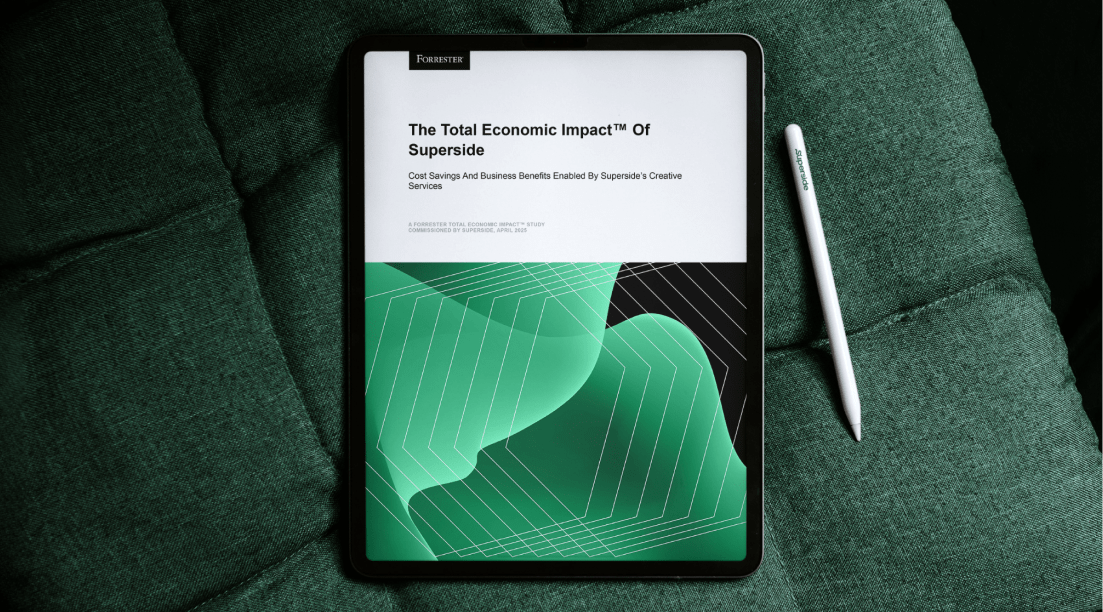
Our business impact is also independently validated. A Forrester Total Economic Impact study commissioned by Superside found a 94% ROI and payback in under six months for a composite enterprise organization, with more than 60% of feedback rounds avoided.
The main takeaway from Shift: The Creative AI Summit? AI is raising the bar, not replacing the craft. The leaders getting the most from it invest in strong systems, skilled teams and clear quality standards. Our guide to operationalizing creative ops shows how enterprise teams do it with Superside.
Want to create better work faster with AI? Book a call to see how Superside can help you build a creative operations workflow that scales.
FAQs



Creative teams are at a breaking point
The pressure is real, the opportunity is too.
Get insights from 300+ leaders on
beating burnout, using AI wisely
and navigating 2026’s inflection point.

The data speaks for itself
According to a Forrester Total Economic Impact™ study, Superside delivers a 94% ROI and pays for itself in six months.


Your creative team's creative team
Choose the world's leading AI-powered creative service
and get high-performing ads, videos, experiences and
more at scale, on your schedule and to your standards.