

Every time your team uses a generic AI tool, it starts from zero. No memory, no guidelines and no brand context. The result is inefficient workflows (and frustrated teams). Top enterprises now use brand-trained AI models, but not all solutions are equal. This article compares options and helps you choose the right AI brand training system.
Imagine having to learn everything about your brand from scratch, every time you design a new asset.
For most creative teams, that’s exactly the reality of using AI tools today: Every image, video or piece of copy gets created without built-in context.
But once it understands your brand context, you can create a system that remembers what has worked in the past and consistently applies your visual identity and brand standards.
That’s exactly what training AI on your brand assets accomplishes.
There are two paths: The first approach is to build your own DIY custom AI image models. The second is to make an intelligent platform, such as Superside’s Brand Brain, part of your workflow.
In this article, we explain how to train AI on brand assets and outline key considerations when deciding between DIY models and intelligent systems.
What it means to train AI on your visual identity and brand assets
AI models like Midjourney, DALL·E and ChatGPT are trained on massive datasets. They can grasp broad ideas like “corporate communication,” but they don’t inherently understand your brand’s unique voice.
The same goes for visuals: They recognize concepts like a “sophisticated tech aesthetic,” but struggle to consistently reproduce your exact brand style.
This creates certain problems:
- Every prompt starts from scratch. The model doesn’t innately retain your brand standards or creative decisions. You need to re-teach the AI what you want, especially if you haven’t established brand guidelines for it to follow.
- The AI model doesn’t understand your visual language. You write detailed prompts about lighting, composition, color palettes and style, but outputs almost always feel “close but not quite right.”
- The model doesn’t scale strategically or consistently. If you need 100 cohesive product images or a full library of related concepts, a generic AI model’s outputs quickly turn into a quality control headache.
What brand-trained AI delivers
To solve these problems, many creative teams turn to AI brand training. Brand-trained AI models can help teams achieve:
- Consistency across assets: When AI remembers brand standards between prompts, outputs are more cohesive. Because the AI already knows, from experience, what the creative team wants, less post-production work is required.
- Faster, more efficient production: At Superside, we deliver projects up to 60% more efficiently and use AI-powered creative, AI consulting services and brand-trained AI models to get there.
- Strategic scalability: Brand-trained AI models aren’t only faster. They also allow designers to produce high volumes of creative.
The custom AI image models for brands in our portfolio generate anything from hundreds of ad variations to dozens of highly localized assets at lightning speed.
- Competitive advantage: Brand-trained AI models also give enterprises a competitive edge. They can generate assets as market opportunities arise and maintain creative quality.
The two approaches to brand training in 2026
When it comes to actually training an AI model on your brand, there are two options:
1. The technical approach: Custom image models
With platforms like Replicate, Hugging Face and Adobe Firefly, you can customize or fine-tune models like Stable Diffusion to match your brand guidelines and visual aesthetic.
The requirement: 10-50 high-quality, consistent examples of your visual style. Some technical knowledge is required.
The result: On-demand image generation that’s true to your brand’s visual identity.
2. The strategic approach: Intelligent systems like Brand Brain
The second option is to use a system that engages more deeply with your brand.
Systems like Superside’s Brand Brain are designed to capture your brand’s creative DNA, using every brief, feedback round, creative decision and workflow pattern as training data.
- The requirement: Willingness to centralize creative work in a platform that captures learnings systematically.
- The result: An evolving intelligence system that remembers everything your team does. This makes it easier to brief new projects and roll out standout, on-brand creative at scale.
How to train AI on your brand assets
Training a custom image model in-house takes some technical know-how, but it’s a good way to automate image generation.
Here’s how to get started:
Step 1: Define your visual style and use case
Before you collect any training data, get crystal clear on what you want to build, i.e., the types of custom AI image models that would serve you well.
Options include:
- Style models: For consistent artistic direction, textures, lighting or illustration aesthetics across any subject matter
- Object models: For branded product shots, packaging or physical goods shown in various contexts
- Character models: For mascots, specific people, influencers or brand personas.
- General models: For multipurpose asset generation across use cases such as hero images, backgrounds or abstract visuals.
Questions to answer:
- What specific creative challenge must this model solve? For example, “We need 100+ product shots per month but can’t afford continuous photoshoots.”
- What visual characteristics must remain consistent? These could include lighting, color palette, composition style and subject treatment.
- How will this model integrate into existing workflows? The model could work as a Figma plugin, API integration or standalone tool.
- What does success look like (e.g., speed improvement, cost reduction, quality maintenance)?
Use your existing brand guidelines, mood boards and reference materials to document the visual standard you have in mind.
Step 2: Build your training dataset
The images and references you use to train your model are make-or-break for the results. In fact, the output quality of your trained model is 80% determined by your dataset.
Follow these best practices to deliver agency-quality results:
- Use an appropriate number of high-quality images. Most platforms recommend 10-50 images, but this depends on the goal and platform.
- Aim for diversity within consistency. Your reference images shouldn’t vary too much, but there should be some variation (e.g., different angles, contexts or scenarios).
- Use high-resolution images. Most platforms resize and standardize images during preprocessing, but starting with high-resolution inputs ensures finer details (like textures, edges and brand elements) are preserved.
Step 3: Choose your training platform
The right platform depends on your budget, your team’s technical expertise and the level of creative control you need. Options include:
1. No-code platforms (fastest and easiest to use)
These tools handle most of the technical work, so your team mainly focuses on uploading images and generating outputs.
- Adobe Firefly is a good option for creative teams already using Adobe, and it’s possible to create accurate results with just a few images. The training process is simple and intuitive, and includes built-in brand safety controls.
- Replicate provides easy access to prebuilt training workflows. These are great for quick tests and experimentation, but offer less control.
- Artificial Studio allows teams to quickly train models focused on specific characters, styles or products. It’s affordable for smaller image sets, but the token-based system can be costly.
2. Developer platforms (more control)
These offer more flexibility, but require some technical understanding.
- Hugging Face offers flexibility, a range of training tools and datasets and access to open-source models. It supports more advanced model fine-tuning.
- Scenario is well-suited for creative teams that need stylistically consistent assets and UI elements, particularly for gamified campaigns. Some familiarity with AI workflows and asset pipelines is helpful.
3. Local/advanced workflows (maximum control)
This is the most hands-on option. Choose it if your team is technically skilled and wants full control over the training process.
LoRA (Low-Rank Adaptation) is a common technique for fine-tuning large models such as Stable Diffusion or FLUX.1 Instead of retraining the entire model, LoRA adds a small set of additional weights that guide the model toward a specific style or behavior, such as generating images in a watercolor style.
While this approach requires more setup and expertise, it’s relatively cost-efficient and gives you full ownership and control over results.
Step 4: Train and test your model
The next step is to upload your dataset and start training your AI model. How long this takes depends on the platform. Some claim you can have a working model in as little as 3 minutes. A more typical estimate is 20-40 minutes.
After this, test for accuracy. Generate 50–100 test images using varied prompts that represent real use cases.
Lastly, evaluate for accuracy. Do outputs match your brand’s visual identity? Do multiple image generations maintain the same style? How about edge cases (i.e., what happens when you use unusual prompts?).
If outputs don’t meet your brand criteria, adjust your dataset.
Step 5: Deploy and integrate into workflows
Once you’re happy with your model’s outputs, it’s time to integrate the tool into your creative workflows.
This step might require some experimentation. If you’re using third-party AI image generators, check the integrations they offer natively. Plugins like the ones offered with Superside’s custom GPTs help simplify integration.
If you’re training your own model, aim to create simple, accessible interfaces for your team. Lightweight tools like Streamlit can help you build internal apps for non-technical users.
For rollout:
- Ensure all relevant internal team members understand the model and how it operates.
- Create prompt engineering guidelines to help team members get started.
- Make sure there’s an easy way to give feedback.
- Retrain and refine the model in response to feedback and evolving brand needs.
When DIY makes sense (and when it doesn’t)
For some use cases, DIY models are a strong choice, e.g., if you need to produce a high volume of graphics for character scenes. Keep in mind, though, that this approach requires some technical expertise.
However, if your team needs access to comprehensive brand intelligence for use across everything from briefs and image generation to creative performance learnings and more, a basic AI tool or DIY approach won’t suffice. This is where a creative intelligence system like Brand Brain comes in.
The modern solution: Brand Brain and integrated creative intelligence
AI systems like Superside’s Brand Brain represent a complete shift in how creative teams can use AI.
Instead of training individual AI models, Brand Brain helps enterprises build an intelligent, creative ecosystem that delivers creative content velocity.
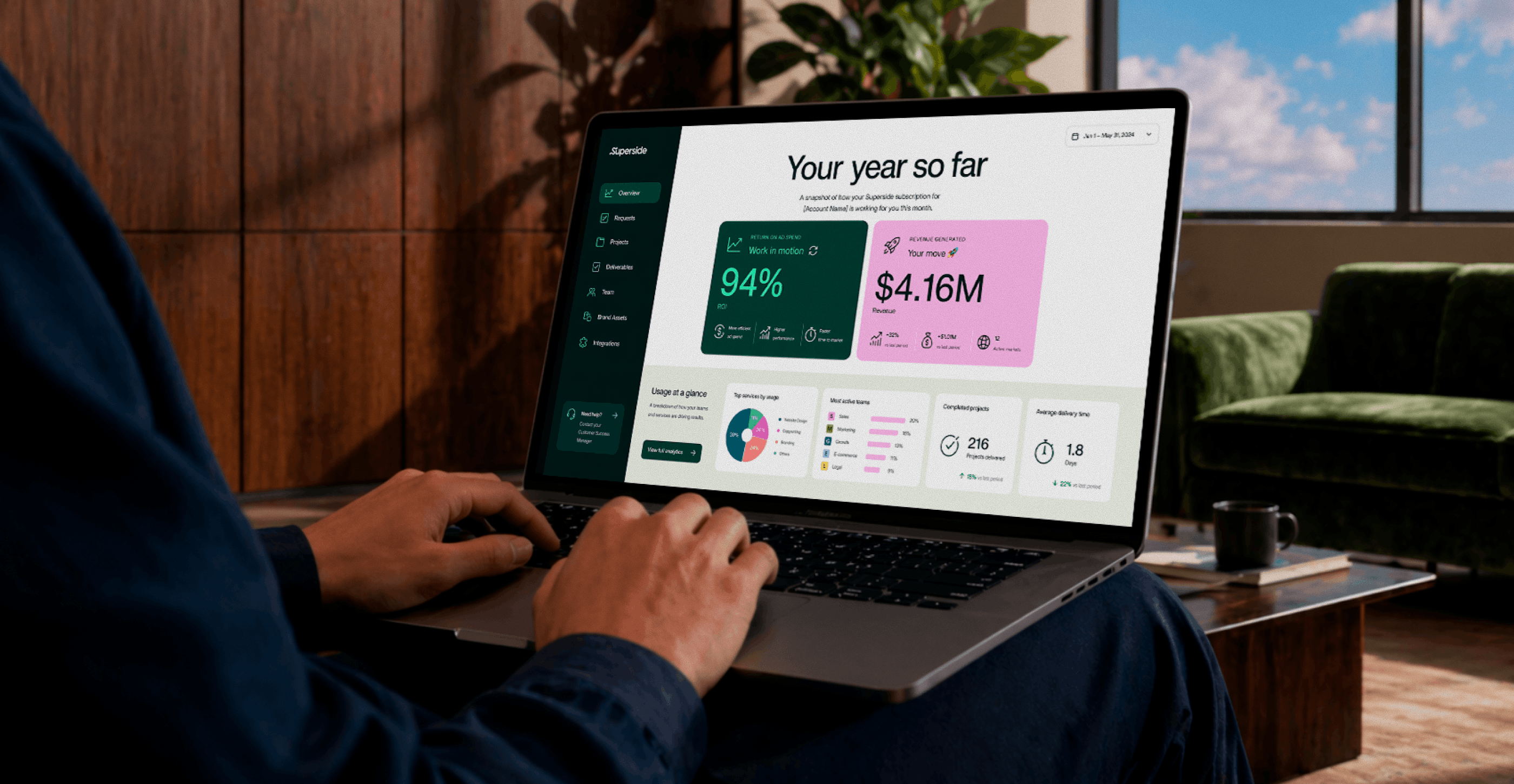
Brand Brain is the intelligence layer at the heart of our Superspace creative management platform. It’s trained on your entire brand, which means it can support every stage of the creative process, from developing briefs and identifying content gaps to generating copy and images.
Brand Brain incorporates and learns from:
- Your brand guidelines, messaging frameworks and visual identity systems.
- Past creative work, including decisions and feedback.
- Performance data, like campaign results, engagement metrics and conversions.
- Team preferences and workflows.
- Iteration patterns and past revision cycles.
The net effect is that each new project starts smarter than the last one, and each new asset is better optimized to drive campaign goals and business objectives.
How Brand Brain works across your entire creative process
Brand Brain isn’t one tool designed for automated briefs with no proper logic behind. It is intelligence woven throughout your creative system, powering multiple capabilities:
1. The AI Briefing Agent
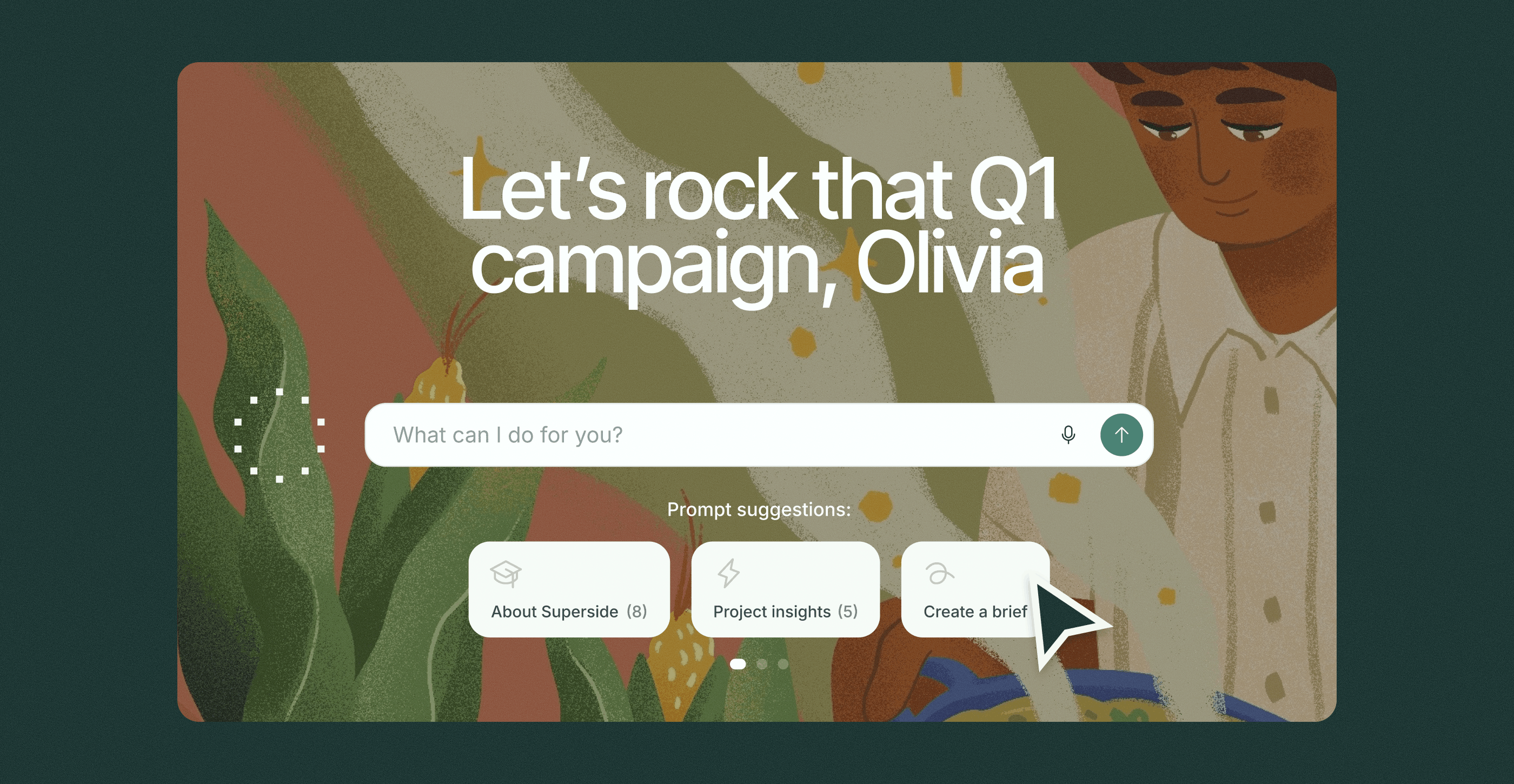
With Brand Brain, you can share a rough concept in the interface, and a full brief is built automatically.
The AI Briefing Agent uses past and current context about your brand to fill in missing details, suggest specs and formats, pull relevant reference images from your asset library, align tone and messaging with your brand voice, and identify potential issues.
The result: You quickly go from “quick thought” to “ready-to-execute brief” without the back-and-forth of standard briefing processes.
2. The AI insights agent
Brand Brain’s AI Insights Agent allows you to “pick your brand’s brain” on demand.
Instead of digging through files, folders or old emails, the agent surfaces patterns, gaps and opportunities across all campaign activity, content and decisions stored in Superspace.
Questions could include:
- Which creative themes drove the highest engagement last quarter?
- Which messaging angles work best for our “XYZ” segment?
- What common feedback patterns do we see across campaigns?
- What are the current bottlenecks in our creative workflow?
3. Custom brand models
Custom-trained on your visual style, these models generate fresh imagery to use in any circumstance in seconds. By removing the need for stock imagery and expensive photoshoots, teams reduce time and costs.
Brand Brain also:
- Continuously improves based on feedback and new assets uploaded into the system.
- Integrates image generation into your broader creative workflow.
- Offers multiple model types. You can train these models on a specific style, character or product to ensure brand consistency.
Plus, Brand Brain can perform all these tasks with fewer images than most DIY models.

Whether it’s a general, object, style or character model, creating your Custom AI Image Model starts with 10–15 high-quality, on-brand examples. Superside can help you build or curate that dataset, ensuring it reflects both a designer’s eye and your brand’s unique style.

4. Automated creative workflows
Repetitive tasks slow most creative teams down. Brand Brain offers custom automation layers teams can use to resize images, edit headshots, generate product shots, add motion effects, produce on-brand asset variations and more.
These capabilities are also supported by Superside’s AI expertise. When you make Superside your creative team’s creative team, we’ll review your repetitive workflows and build the right automations for your brand.
The human + AI model
Superside has always believed in the power of human creativity, which is why Brand Brain is also “AI-first” but not “AI-only.”
Most AI brand-consistency tools require teams to become AI experts. Creatives must become prompt engineering masters and learn how to structure workflows, evaluate outputs and maintain quality. Superside took the opposite approach with Brand Brain.
With Brand Brain, we’ll handle:
- Initial setup and brand training.
- Ongoing optimization and model updates.
- Workflow design and automation building.
- Quality standards and governance frameworks.
- Technical infrastructure and maintenance.
So your team can focus on:
- Creative strategy and decision-making.
- Brand judgment and refinement.
- Performance analysis and iteration.
- Collaboration and feedback.
In a nutshell: You get a complete custom AI solution without your team having to learn how to train AI on brand assets. Brand Brain provides the AI intelligence layer, while Superside’s creative talent helps you craft and execute your campaigns.
What Brand Brain delivers
Brand Brain delivers something other AI-powered image generation tools simply can’t: Real operational impact.
With this tool, your team benefits from faster briefing cycles, stronger first drafts, fewer revisions, less rework and better creative performance, built on years of experience.
We’ve perfected the use of AI to transform workflows and massively scale design, for everyone from Fortune 500s to up-and-coming tech brands. Every last bit of that experience informs Brand Brain’s functionality.
DIY tool vs. strategic partnership
Time to make a choice? Remember that:
- Custom-trained image generation models can help ensure your creative assets stay on-brand and consistent. If your main requirement is high-volume image generation, they’re a strong option. But technical expertise is key.
- AI intelligence systems like Brand Brain offer continuous learning across projects and assets. They minimize the need for internal AI and DesignOps expertise, and they make ideating and crafting with AI accessible to anyone in your organization. If you want a fully brand-aware, custom system that informs the entire creative process, this is the way to go.
Which one to choose: For most enterprise teams, the AI system is the stronger choice. It improves ROI from AI workflows and reduces the operational burden on overcommitted internal teams. In Brand Brain’s case, teams also receive support and expertise from a dedicated creative partner with years of practical AI experience.
Build a lasting edge with brand-trained AI
More teams now recognize that brand-trained AI systems are essential for effectively scaling creative.
What many still miss is the difference between improving outputs and improving the system behind them.
DIY custom models can help at the asset level, but they don’t solve for the full creative workflow, where speed, consistency and performance are actually won or lost.
The teams that pull ahead build brand-trained systems that support the entire process, from first idea to final asset. That’s where a smart AI layer, like Brand Brain, and an AI-first creative partner, such as Superside, can make a real difference.
Book a call today and learn how Superside’s AI solutions can help you scale your creative to the next level.
FAQs


How AI-ready is your team?
Take our free 2-minute assessment to benchmark your AI readiness and get:
- Your AI readiness score
- A snapshot of where your team stands today
- Curated resources to help you apply AI more effectively


Get top creative 5x faster
Superside’s integrated human + AI workflows unlock
faster delivery, scalable output and campaign-ready
assets, without burning out your team.
Discover why the world’s biggest brands choose us