




DIY design tools are great at getting non-designers to a usable result, but growing brands run into five problems they weren't built for: brand drift, generic work, slow approvals, no reuse system and a backlog that never shrinks. This article gives you design tool alternatives for teams, a fair look at Canva, five criteria to choose your next setup and three team scenarios with three different right answers.
DIY design tools help non-designers quickly create social media posts, sales decks and other graphic design assets, often through a simple drag-and-drop interface. For small teams with fairly straightforward creative needs, these tools can be a great all-in-one solution that doesn't break the bank.
But as your team grows, you'll likely hit a few bumps in the road. At some point, your sales decks might need custom diagrams, or your hero campaigns might need standout videos. Or perhaps your regional teams need versions of your campaign material that feel local yet stay 100% on-brand.
If your team spends more time fixing layouts, chasing feedback and recreating existing work than moving projects forward, you might be tempted to look for another DIY tool.
Sometimes, that's the right answer. Sometimes, however, the problem isn't the software but the underlying process. And sometimes, the missing piece is experienced creative support.
This post will help you evaluate design tool alternatives for teams of all sizes. It'll also help you recognize when you need better processes or professional creative support instead of more tools.
Five signs your design setup needs to change
Creative bottlenecks don't necessarily mean you've outgrown your design software.
Look for the following recurring problems across recent work, then dig deeper to see what's causing them. One of these problems might be isolated. Three or more suggest it's time to rethink your design setup.
1. Your brand looks different depending on who made the asset
The problem: When you look at recent sales decks, social posts and other designs, each asset looks fine on its own. But together, they don't feel like they belong to the same brand.
The solution: First, check whether your team and tools can easily access and query your brand guidelines. Also check whether your design software's brand controls are switched on.
If the guidelines leave important decisions open, you need to define those rules first. Crucially, your brand guidelines should also be easy for AI tools to interpret and use.
2. Your work looks finished but interchangeable
The problem: Your colors, fonts and logo are correct, yet the campaign you've just produced could belong to several of your competitors.
The solution: Review your creative direction, from the imagery and fonts you use to the central idea behind each campaign. A more advanced tool with fewer template limitations, or a higher-tier plan, can give your team more control. However, software still can't decide what will make your brand recognizable. Experienced creative direction and strong creative talent remain crucial.
3. Approvals take longer than production
The problem: Feedback arrives through email, chat and comments on different documents. One reviewer approves a headline on one design while another edits an older copy. Version control has become a nightmare and the approval process is painfully slow.
The solution: Good design collaboration tools can help you consolidate feedback and control the workflow. However, your team still needs to agree on who reviews the work, when feedback is due and who makes the final call.
4. Useful work is hard to reuse
The problem: Designers keep rebuilding charts, layouts and campaign elements because nobody can find the approved originals.
The solution: A living brand library with reusable components plus solid project management tools can cut the chaos. Note, however, that someone still needs to maintain these resources.
5. Demand keeps exceeding available time
The problem: The design queue grows even when requests are well briefed and approvals run smoothly.
The solution: This could mean you need more hands, specialist skills or tougher prioritization. No software tool will fix this problem on its own, because the constraints are people and processes.
Good design tool alternatives for teams
If your current DIY design software is holding you back, it's worth exploring other tools.
The table below matches common design challenges with tools that could help. Several of them offer free plans, so you can test before you commit.
| If your team needs to | Consider | How it can help |
|---|---|---|
| Reuse design elements across projects and collaborate in a shared workspace | Figma | Publish shared team libraries of components, colors and text styles on a paid plan. Teammates can comment directly on designs. |
| Create custom artwork and give colleagues templates they can adapt | Adobe Photoshop and Illustrator, plus Adobe Express | Create artwork in Photoshop or Illustrator, then use Adobe Express for Teams to share approved templates with locked elements and style controls. |
| Explain information through presentations, reports and infographics | Visme or Piktochart | Build visual content with templates and charts. Both offer free plans, with limits on templates, downloads or export formats. |
| Produce many versions of an approved design | Bannerbear | Generate variations of a branded template automatically through its API. |
| Generate initial design options more quickly | Canva | Use AI to generate starting layouts or presentation drafts you can refine in the editor. |
Our roundups of AI design tools and the best graphic design software are good starting points if you need a better DIY tool. If speed is the bottleneck, our guides to AI design platforms and creative automation services cover the next step up.
Also look at our marketing tools overview and guide to using AI in graphic design. They're useful if you're trying to get the most out of the tools mentioned here.
What Canva already does for growing teams
Canva is popular for a reason: It makes everyday design tasks accessible to people without formal design training.
The learning curve is gentle and the interface is friendly. New AI features make it easy to go from a rough idea to a first draft, while templates and a drag-and-drop editor simplify content creation. It's also straightforward to invite team members, track progress and collaborate on projects.
The platform has expanded well beyond its template roots, and the investment has paid off. In a February 2026 TechCrunch report, Canva said it reached $4 billion in annual recurring revenue by the end of 2025, with more than 265 million monthly active users and over 31 million paid users. Its latest product launch, which Canva calls its Creative Operating System, pushes it further toward bigger teams.
Co-founder and COO Cliff Obrecht explained the shift to TechCrunch:
Where we started was… we got the Canva platform, and we're giving the Canva platform a bunch of AI tools. We're inverting that now. We're becoming an AI platform with a bunch of design tools. So you can think of it more like a cursor for design.
Canva can be the right design tool for a growing brand if most of the team's work involves adapting approved layouts. The test is how well it handles more complex work.
Many brands use Canva for everyday content but turn to tools with more advanced features for more demanding projects. For the work that has to stand out, some also bring in an AI-native creative agency.
Read Obrecht's quote again, because it tells you something else: The design software category is converging. Like Canva, other developers are adding AI and automation, and many now offer the same brand-control features. That makes the choice between tools trickier.
The best way to compare tools is to give them a real job. Take a recent campaign and see how easily someone can find the approved assets, adapt the design for another channel and get the final version signed off. If the editor makes a specific task harder than it needs to be, a different tool may help.
Remember, though, that if you switch tools without fixing gaps like missing brand libraries, poor workflows or too few skilled hands, you'll soon feel the pressure again.
Side note: Before you spend another cycle optimizing the wrong layer, it's worth understanding the difference between an AI creative tool and a creative platform and where creative automation tools stop working.
The problems no tool solves
Your team can have access to a stack of highly rated tools and still struggle to produce strong, impactful design.
The table below shows where software can help with five common creative challenges and what else it takes to address them.
| The problem | Where software can help | What your team still needs to do |
|---|---|---|
| Brand drift | Brand controls and templates make approved fonts, colors and layouts easier to use. | Define how the brand should look across channels and markets. Keep guidelines and templates up to date. |
| Slow approvals | Shared review tools keep briefs, versions and feedback together. | Set review deadlines, maintain version control, assign a final approver and agree on how to resolve conflicting feedback. |
| Work is hard to reuse | Searchable libraries make approved assets and components easier to find and adapt. | Decide what's worth reusing, label it clearly and retire outdated versions. |
| Demand outpaces the team | Automation saves time on repeatable work such as resizing and adapting approved designs. | Prioritize requests and add specialist skills or extra support where demand still outpaces the team. |
| Work looks generic | More flexible design tools give creatives room to explore and develop original ideas. | Set a clear creative direction and build a visual language customers recognize across campaigns. |
The right tools can help with brand drift and slow approvals, but marketing and creative teams still have their work cut out for them.
Part of the problem is that the workload keeps rising. A 2023 report by the Association of National Advertisers (ANA) found that 82% of members now have an in-house agency, up from 78% in 2018. It also found that:
- 88% saw their in-house team's workload increase in the past year
- 67% said it had increased "a lot"
- 92% also work with external agencies
Superside's own Breakpoint report tells a similar story: About 86% of the 300+ creative and marketing leaders surveyed say their team is either at or over capacity.
Creative Boom's State of the Creative Industry 2026 survey of 882 creative professionals found that 69% had experienced burnout in the past 12 months. And while 86% now use AI tools in their work, only 10% think AI's overall effect on the industry is positive.
Read these numbers together and a lesson emerges: Giving an overloaded team more design and task-management tools won't ease the pressure. The bottleneck simply moves from creating the asset to managing everything around it.
In-house leaders are trying to solve craft
Meanwhile, the 2025 IHA Benchmarking Survey from the In-House Agency Leadership Council (IHALC) and Frontify asked in-house agency leaders about their priorities for the next 12 months. They named:
- Raising creative standards (67%)
- Improving effectiveness (57%)
- Enhancing processes (54%)
- Ensuring brand consistency (48%)
Every item on this list is a systems problem, a craft problem or a mix of both. None of them is a software problem. It's also why in-house teams still turn to external agencies for specialized skills, overflow work and fresh perspectives.
The bottom line: Internal teams and software tools can only get you so far. At some point, external support may become your best option.
Calculate what your current setup really costs
It's easy to overlook the cost of a slow review or an off-brand asset when you're just trying to get the work out. But over time, those extra hours and inconsistencies add up.
When you compare the fully loaded cost of muddling through with an outsourced design partner or a structured design package, the DIY path might not be as cheap as you once thought.
Compare your options based on what it costs to take a piece of work from brief to final approval. A software license or subscription fee is easy to look up. The time it takes to chase feedback, find the right files and fix avoidable mistakes is harder to measure.
Audit a recent month of projects and record:
- Production time: Include initial creation, adaptations and final file preparation.
- Rework time: Separate avoidable corrections from useful creative development.
- Coordination time: Count briefing, file searches and feedback consolidation.
- Delivery gaps: Note missed deadlines and planned work that never reached production.
For a new software platform, add migration, training and library setup to the comparison. For a partner, include onboarding and the time your team will spend on briefing and reviewing work.
Compare like-for-like work at an agreed quality standard. A cheaper first draft may still cost more to finish. Equally, a well-configured software tool may solve the problem without an ongoing creative services commitment.
Five criteria for choosing your next design setup
To find the best design tools for marketing teams like yours, test them on work you actually do. Use the same five criteria to assess whether a workflow change or outside support would solve the problem.
- Brand control: Can designers and non-designers apply the right brand rules easily? Test a real asset and identify which decisions still need expert review.
- Reuse: How easily can someone find and adapt approved work? Check how updates to brand assets or branded templates are handled.
- Approvals: Can reviewers find the latest version and see each other's feedback? Check who resolves conflicting comments, who signs off and how long approval takes.
- Output: Can the setup handle a typical week and a busy launch? Check how much work gets done in each case and whether specialists are available when you need them.
- Creative quality: Can the setup deliver the quality, consistency and craft your brand needs? Test it on a routine production task and on a brief that calls for an original concept.
Set success measures before the pilot begins. Then track time to approval, brand corrections, delivery reliability and total effort per usable asset. Where it makes sense, also assess creative performance.
If outside support looks promising, compare design packages and services for defined needs with graphic design subscription services for ongoing demand. When reviewing unlimited design services or on-demand design services, ask how queues, concurrent requests and turnaround times limit actual output.
Our guides to types of design services, choosing a design company and in-house vs. agency setups lay out the trade-offs in more detail.
Three teams with three different right answers
What should you do if your creative team has clearly outgrown your current design setup? The honest answer depends on which problem you actually have.
Here are three scenarios that look identical from the outside but need completely different fixes:
1. The team that needs a better tool
In a 30-person company, the marketing team creates most of the brand's creative assets. The work is fine, the brand is simple and the volume is manageable. The problem is that the editor feels limiting.
This team should buy a better tool. It should move to a platform with real component systems, tighten the brand kit and move on. Bringing in an external partner would solve a problem it doesn't have yet.
2. The team that needs process, not software
In a 150-person company, three separate teams request design work and nobody can find the final version of anything. Volume is high but not extreme. Yet work ships too slowly.
This team has a workflow problem that masquerades as a tooling problem. Fixing intake, versioning and approval will return more hours than any new software tool can. A tool switch at this point would reset everyone's habits and change nothing structural.
3. The team that has genuinely outgrown DIY
In this company, the brand is a competitive asset, output runs across many channels and markets and the creative team limits how fast marketing can move. The problem? Everything looks generic and nothing ships fast enough.
No software tool can solve this one. The missing pieces are a brand system that enforces itself, a review process that doesn't drag on and extra support that scales with demand. This is where the right external creative partner can make a world of difference.
Where Superside fits
[WISTIA: brand brain wistia video]
If you recognize your team in scenario 3, you need a better way to manage your creative work and more expert hands to deliver it.
As the world's largest AI-native creative agency, Superside can help you do exactly that. We pair AI-native experts with AI systems, so real creatives lead the ideas and craft while the systems keep the work fast and consistent.
- Brand knowledge lives in a system: Brand Brain, our proprietary AI context engine, brings your visual rules, voice, past work and feedback into every new brief. If your team approved a different treatment for a particular market, that decision informs the next project without anyone digging through old comments.
- Feedback has a home: Superspace, our creative management platform, keeps briefs, versions, feedback and final files together. Reviewers can see what changed and comment on the current version, and the creative team can see which decisions have already been made.
- Support scales without new hires: Bring in AI-native experts for a launch, a new campaign concept or a peak-season rollout across channels and markets. Creative leads shape the work, and AI systems speed up production where it makes sense.
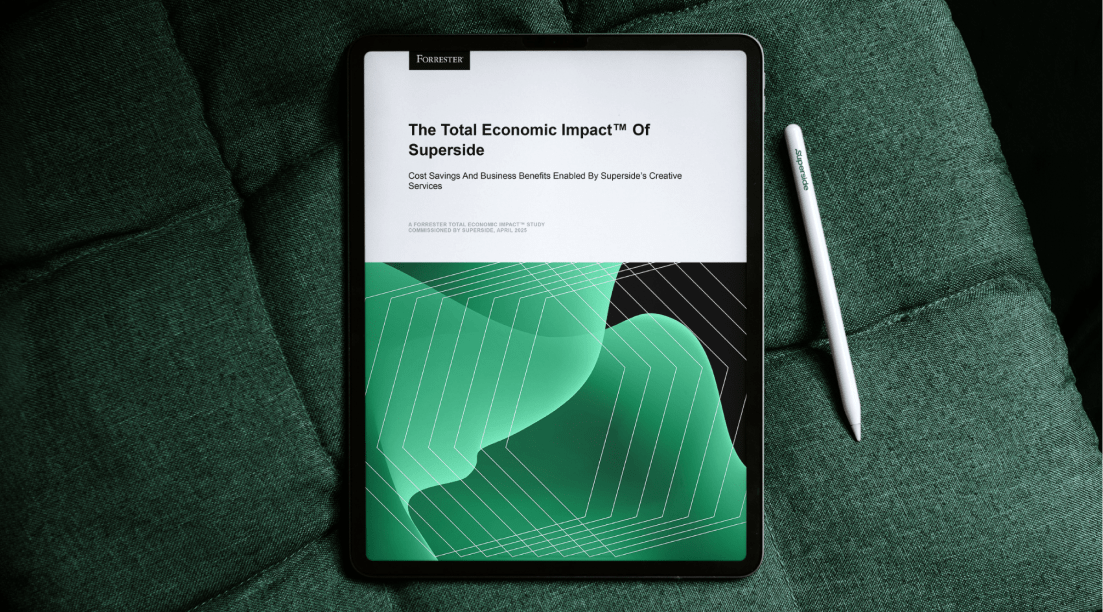
There's also independent proof that the approach works. In a Total Economic Impact™ study commissioned by Superside, Forrester found a 94% return on investment over three years for a composite organization, with payback in under six months.
To weigh your options, see how we compare with other providers, including Design Pickle and Designity, or read our breakdown of subscription models vs. agencies and freelancers. For current plans, the Superside pricing page is the place to check.
How Superside helps your brand grow beyond DIY production
If your DIY design tools slow down work your team otherwise handles well, try a better tool or plan. If approvals stall because feedback is scattered or nobody can find the right version, fix your processes first.
But if routine production keeps pushing out important campaigns, look for a creative partner and system that can scale with you. The right partner will carry your brand context and decisions forward and bring the creative judgment your most important work needs.
Explore our design services to see what that looks like in practice. Or book a call to find out how Superside can help you create standout creative that stays consistent at scale.
FAQs
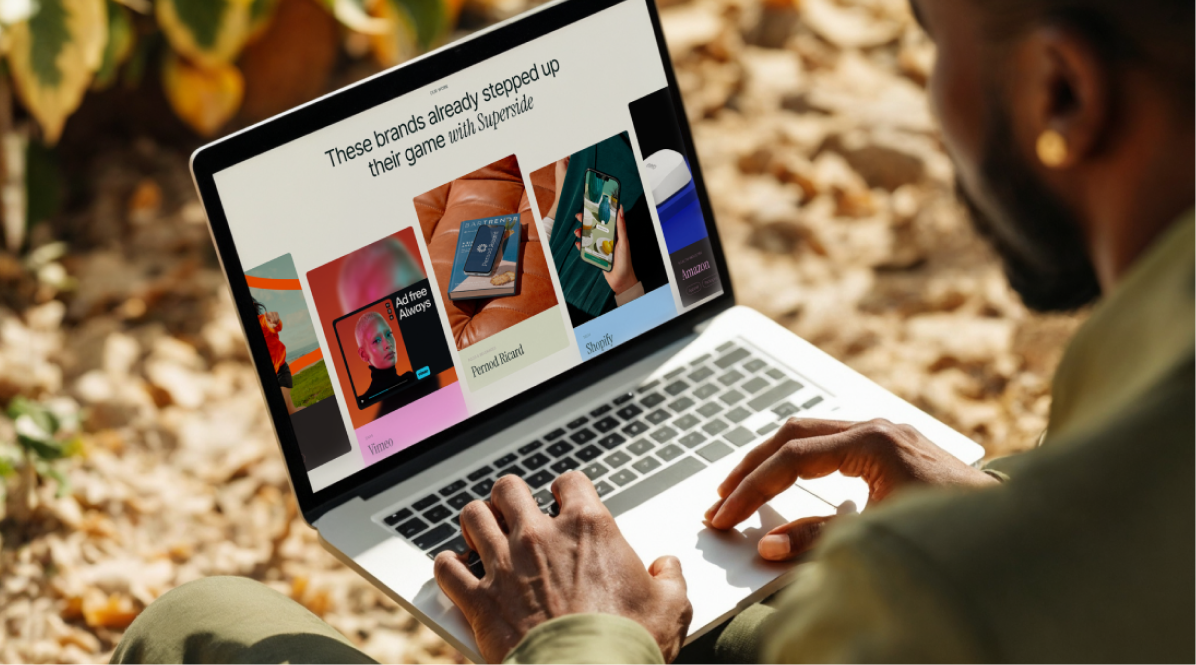
See how top brands do it
Looking for extra inspiration?
Check out more of Superside's brand projects.

Creative teams are at a breaking point
The pressure is real, the opportunity is too.
Get insights from 300+ leaders on
beating burnout, using AI wisely
and navigating 2026’s inflection point.

The data speaks for itself
According to a Forrester Total Economic Impact™ study, Superside delivers a 94% ROI and pays for itself in six months.


Say yes to bigger campaigns
Our AI-native creative agency helps your team
take on more formats and markets with no new headcount.