



The best AI video makers for software companies are fast, affordable and surprisingly capable. But are they right for your needs? This guide compares the top tools across six categories, shows where each excels and exposes their limits when branding, product accuracy, storytelling and craft are on the line.
AI SaaS product video makers have become genuinely good. Within minutes, they can turn a demo script, a screen recording or a URL into a watchable product video, in dozens of languages, at a cost that would have been impossible a few years ago.
But any experienced creative leader will tell you that a truly standout, on-brand video doesn't just happen. At enterprise scale, every product video must fit into a cohesive brand narrative across platforms, accurately represent the real product interface, communicate a strategic message and clear a craft bar that speedy, generic AI output rarely meets.
This piece maps the AI SaaS video maker landscape by category and showcases the best tools on the market. Then it makes the case that the winning production model isn't AI or a creative team. It's AI plus a creative team.
Superside, the world's leading AI-first creative partner and one of the best B2B video production services around, follows this exact model.
What is an AI SaaS product video maker?
An AI SaaS product video maker uses artificial intelligence to create videos that explain, demonstrate or promote a software product. These videos can include product demos, explainers, feature launches, onboarding clips and more.
Depending on the tool, your team provides a script, screen recording, prompt or URL, after which it generates or assembles a video with far less work than traditional production would require.
Note, however, that "AI video maker" is a broad label covering six distinct categories, each built for a different type of task.
| Category | Best for | Main limitation |
|---|---|---|
| Avatar and talking-head generators | Scripted presenter videos and fast localization | Can't show real product flows |
| Generative text-to-video models | Stylized, cinematic B-roll and concept footage | Can't render your exact interface |
| Content repurposing tools | Turning existing scripts and posts into simple videos | Output skews generic and stock-driven |
| AI video editors | Editing footage you already have | Editors, not generators |
| Interactive product-demo platforms | Capturing your real product UI | Screen-recording feel, not brand film |
| All-in-one design suites | Quick DIY content across formats | Generic templates, licensing to check |
Understanding these distinctions makes it easier to choose the right tool for the task. We break down each category and its leading options below. But first, let's look at where AI video makers perform best.
What AI video makers genuinely do well
With all the talk about AI video makers' impact on the creative industry, it's tempting to dismiss these tools outright. Doing so would ignore several jobs they do genuinely well.
In the right hands, AI video makers offer:
- Speed. A first draft that once took weeks of scripting, shooting and manual editing can now be generated in minutes. For a fast-moving SaaS team, that pace is transformative.
- Volume and variation. Need multiple versions of an explainer for different audiences, regions or channels? AI produces variations at a cost manual production can't match.
- Localization. Many avatar tools translate and re-voice a video into dozens of languages almost instantly, a real advantage for SaaS companies with a global footprint.
- First drafts and rough cuts. AI excels at getting to a watchable first version fast, which is often the biggest hurdle in video production.
- A low-cost floor. For simple internal, onboarding or top-of-funnel clips, the cost per video is a fraction of traditional production.
With video now central to product sales, these benefits carry real weight. Wyzowl's 2026 research found that 91% of businesses use video as a marketing tool, 82% report good ROI and 85% of video marketers say video has helped them generate leads.
AI has made meeting that demand more affordable, and the momentum is real. Grand View Research projects the AI video generator market will more than quadruple, from $788.5 million in 2025 to $3.44 billion by 2033. Businesses are no longer debating whether to use these tools, but where and how.
Our roundups of AI video studios and how AI is changing enterprise video provide good context.
The best AI SaaS product video makers by category
The right AI video maker depends on what you need to do. Here, we group the leading tools by core function and unpack each category's pros and cons. Many offer free tiers, ideal for testing whether a tool fits your goals.
1. Avatar and talking-head generators
These generators are ideal for scripted, presenter-style videos and quick localization.
Synthesia, the category leader for talking-head content, turns scripts into AI-avatar videos in more than 160 languages, with access to up to 240+ stock avatars on enterprise plans. You can also add background music.
Note, though, that it's text-and-avatar-first, not product-UI-first. Unlimited generation sits on enterprise tiers, and one-click translation covers a narrower set of languages than the generation total suggests.
HeyGen offers highly realistic avatars, AI-generated voiceovers, voice cloning and automated translation into 175+ languages. It's excellent for personalized, localized presenter videos.
However, it doesn't show real product flows, and the avatars, while realistic, can veer into uncanny territory.
Colossyan builds avatar videos for training and learning from documents and slides, and has expanded into full course creation with quizzes and SCORM export. It's strong for learning and development.
Its template-driven nature makes it less suitable for polished brand and marketing work.
2. Generative text-to-video models
These tools are great for stylized, cinematic B-roll and concept footage. Bear in mind they can't render your exact product interface.
Runway has a deep toolkit for cinematic text- and image-to-video, which makes it powerful for concept and brand imagery. Its current generation model is Gen-4.5.
However, clips are short, consistency can wobble and there's no built-in brand governance. The company has also broadened well beyond video generation, so check that the plan you're buying covers what you need.
Pika has grown into a multi-model creative platform, hosting its own models alongside third-party ones, and now supports longer multi-shot sequences rather than only short clips.
That breadth is useful for exploration, but it isn't built for enterprise brand systems or product accuracy, and results vary by the model you pick.
Google Veo, currently at version 3.1, delivers highly realistic clips with native audio.
Access is tiered: you can try it through Google's free Flow tier, but full Veo 3.1 is effectively an Ultra-plan benefit. Individual generations run around eight seconds, and there's no dedicated product-UI or brand-governance layer.
3. Content repurposing tools
These generators are great for turning existing content into simple videos at volume. Their output tends toward generic and stock-driven.
Pictory turns scripts and blog posts into short videos using stock footage and AI voices. It's fast for content repurposing.
However, its stock-driven nature makes videos generic, with no real product footage included.
invideo now positions itself as an agentic video editor, combining AI agents with a multitrack timeline, avatars and strong repurposing capability.
It's flexible, but credit costs escalate quickly and the output needs heavy refining.

VEED is a browser-based platform with AI video creation, captions and templates, now leaning generation-first rather than editor-first. It's handy and lightweight, but better suited to social content than enterprise craft.
4. AI video editors
AI video editors are great for editing footage you already have.
Descript lets you edit video and audio like a document, with AI voices, Regenerate for fixing audio and filler-word removal. Its Underlord AI agent now handles a growing share of editing tasks.
It's particularly strong for podcasts and talking-head content, but doesn't offer sophisticated brand control.
Adobe Premiere, recently renamed from Premiere Pro, uses AI to speed up professional editing, with text-based editing, transcription, captioning, speech enhancement, media search and generative extend.
However, its professional toolkit comes with a steep learning curve and demanding hardware requirements.
5. Interactive product-demo platforms
These tools are great for creating professional SaaS demos that capture your real UI.
Arcade records your real product UI and layers on synthetic voiceover, callouts, hotspots and chapters to create interactive demos and product videos.
The result is closer to a true product video than most AI tools, although it still reads as a polished screen recording rather than a branded film.
Supademo creates interactive product walkthroughs with AI-generated voiceover, viewer analytics and AI demo agents.
It's good for clear interfaces, but less so for narrative or brand video.
Storylane builds guided and sandbox interactive demos.
It's strong for sales demos and product walkthroughs, but limited brand customization can lead to generic results.

Reprise is also built for product walkthroughs, with full application cloning through its Clones product, a four-product platform and enterprise-grade security including SOC 2 Type II and ISO 27001.
The trade-off is complexity. Building sophisticated demos can require HTML and CSS knowledge, intricate flows get tedious to maintain and pricing is quote-only.
6. All-in-one design suites
These are best for quick DIY video content, although generic templates and the need to check licensing and commercial-use terms remain limitations.
Canva bundles design, AI video generation, avatars and templates into an accessible package anyone can use.
However, its template-led videos can look generic, AI video generation is capped on paid tiers and teams still need creative expertise to produce distinctive, strategically sound brand content. It's also important to check that any AI-generated content is suitable for commercial use.
Adobe Express combines templates, stock assets, brand controls and Firefly-powered AI in an easy-to-use editor. Its integration with other Adobe products makes it useful for teams already in the Adobe ecosystem, though brand kits sit on the premium tier.
It's better suited to quick social videos and template-based content than sophisticated product demos or highly polished brand films.
Keen to find out more? Check out our tool-by-tool vs. platform comparison and our list of explainer video makers.
What makes a great SaaS product video
A great SaaS product video gets five elements right. Falling short on one can weaken the entire result.
- Hook the viewer in the first few seconds. Attention is scarce, and short-form video, which delivers the highest engagement per post, lives or dies on the opening.
- Show the product accurately. For software, the interface is the story. The video must represent the real product clearly and stay current as the UI changes.
- Tell a strategic story. The strongest product videos are built around a customer pain point with a clear payoff, not a feature walkthrough. Strategy and narrative make the video persuasive.
- Be unmistakably on-brand. Every frame should look and sound like your brand and stay consistent with every other video in your library. That builds recognition and trust.
- Be well-crafted. Timing, pacing, sound design and editing separate a video customers trust from one they scroll past.
Hit all five and a product video sells. Miss brand, story or craft and you have footage, not a film. Unfortunately, this is often where the tools above stumble, despite their speed.
Where an AI video maker for SaaS can fall short at enterprise scale

Every tool listed above is good at its job and removes at least some of the pain of manual editing. But limitations emerge when teams need to produce large volumes of brand-critical work across multiple formats, markets and contributors.
Prepare for challenges such as:
Brand drift. One video may look perfectly on-brand. Across 50 videos created by different people using different tools, inconsistencies creep in. Consistency depends on robust systems. Some platforms offer brand kits and templates, but these controls rarely provide the oversight needed to keep every creative decision consistent at scale.
The generic AI look and voice. When teams rely on default templates, stock footage, avatars and synthetic voices, videos start to look and sound alike. Common signs include familiar stock imagery, formulaic motion, unnatural gestures and voiceovers with no warmth. It's why so much AI-generated creative still feels off-brand.
Audiences respond when they notice. In Animoto's State of Video 2026, a survey of 460 US consumers conducted in September 2025, 36% said AI-generated video lowers their trust in a brand, while 77.9% said they trust videos featuring real people.
Product-UI inaccuracies and maintenance. Generative AI tools shouldn't be relied on to recreate a software interface accurately. They may alter layouts, invent text or show interactions that don't exist. Screen-recording and interactive-demo platforms capture the real product, but that footage needs updating whenever the interface changes.
Lack of strategic depth and narrative. A tool can generate footage, but it can't decide what the video should say, who it's for or why it matters. Strategy and narrative are the difference between a video that converts and one that just exists.
Mediocre craftsmanship. For a hero launch video, a brand film or anything a customer will use to judge your company, generic AI output can't provide the timing, editing, scene composition and taste that are hallmarks of human craft.
IP and usage ambiguities. Permission to use AI-generated content commercially doesn't guarantee the output is protected by copyright or free from infringement claims. Terms vary by tool, model and subscription plan, which is one reason AI governance matters as much as AI capability.
Credit walls and hidden costs. Many tools run on credits, so iteration, which is what good AI creative requires most, gets expensive fast.
Despite all this, today's AI SaaS video tools have real value. They're just one part of the solution. Producing strategic, on-brand work at scale still requires strong human review and quality control.
Why a human-led, AI-first creative team wins
Some see the choice between fast AI video makers and slow, expensive traditional production as zero-sum. The truth is more nuanced.
In 2026, enterprise teams must produce more video for more products, channels and markets than ever. Meeting that demand requires AI-powered speed and scale, but senior creatives must still guide strategy, brand and craft.
As the world's leading AI-first creative partner, Superside is built on this model. We use AI in video production and motion design to accelerate storyboarding, generate on-brand visuals and clips, create interactive demos, localize videos and cut variations for different formats and channels. Throughout, experienced creatives own the concept, story and final craft.
Brand Brain, the custom, evolving intelligence layer inside our Superspace creative management platform, holds consistency across a customer's entire video library. It captures your brand guidelines, voice, past work and preferences, then applies that context to future work so every video stays authentically on-brand as volume scales. That's the drift problem the generators can't solve.
Being AI-first means AI isn't just powering individual tools. It's embedded across the entire creative model, from how teams are trained to how brand knowledge compounds over time. That's the thinking behind our human-led, AI-powered approach: great creative still needs great creatives.
Our approach delivers real results:
- When Johnson Controls wanted a launch video with genuine personality, we delivered a standout animated video 85% faster than traditional animation methods, saving the company $47,000.
- For Thomson Reuters, we produced a documentary-style video project with a roughly 90% time saving.
- For Oyster, we localized social videos, rendering 20 region-specific videos in about 15 minutes from a single CSV file.
- For Vimeo, our assessment projected more than 20% efficiency gains in selected creative workflows.
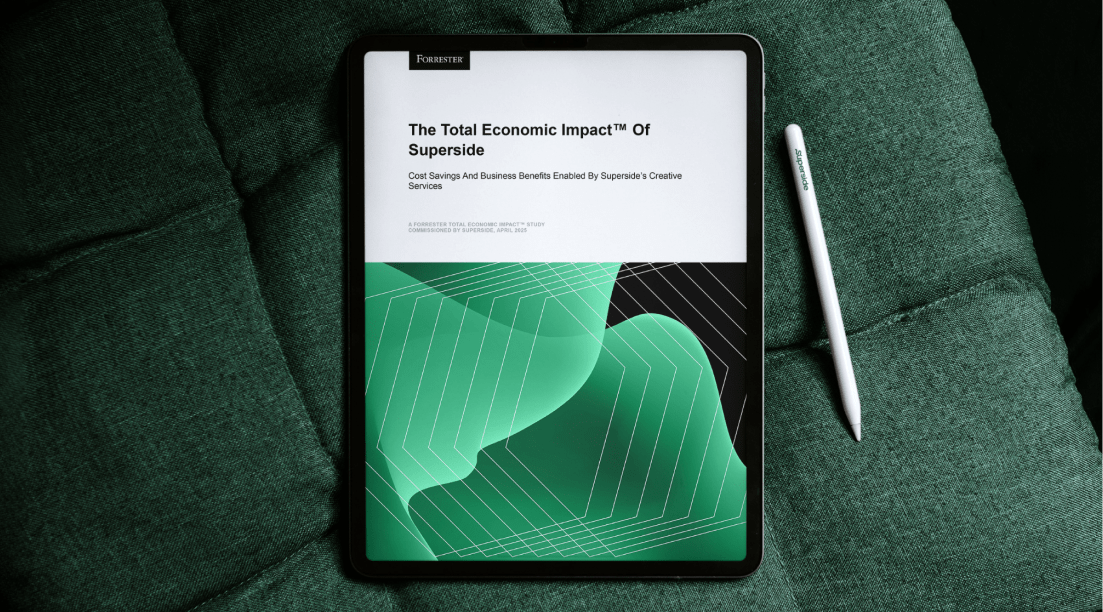
A Total Economic Impact study commissioned by Superside and conducted by Forrester Consulting (April 2025) also found that a composite organization achieved a 94% ROI with payback on a subscription in under six months.
How to choose: is an AI SaaS video maker enough or do you need a team?
The right approach depends on the job.
A DIY AI video maker may be enough for simple, low-stakes work: onboarding clips, quick social edits, screen recordings, internal training, rough drafts or high-volume localization of a proven format. If the video isn't brand-critical and one person can manage it, use a tool.
For customer-facing or brand-defining work, the stakes are higher. Videos that require skilled storytelling, original product footage or consistency across assets and markets need an AI-first creative team that can use the technology effectively and own the outcome. The same applies when demand has outgrown your internal team's capacity.
A useful test: would you hesitate to put the video in front of a prospect or investor? An internal update or quick feature clip may suit a DIY tool. A launch film, homepage hero, category-defining explainer or sales asset usually doesn't. Any savings from an AI tool can quickly be eclipsed by lost conversions or damage to brand trust.
That's why savvy enterprises use both: tools for simple, high-volume production and a partner like Superside for work that carries the brand. If you're weighing partners, our roundup of AI-native creative agencies is a useful comparison, and knowing how to brief AI creative tools will make whichever route you choose work harder.
Keen to produce SaaS product videos quickly without sacrificing quality or consistency? Explore Superside's AI creative services, let us become your creative team's creative team or book a call.
FAQs





See how top brands do it
Looking for extra inspiration?
Check out more of Superside's brand projects.

The data speaks for itself
According to a Forrester Total Economic Impact™ study, Superside delivers a 94% ROI and pays for itself in six months.


Your creative team's creative team
Choose the world's leading AI-powered creative service
and get high-performing ads, videos, experiences and
more at scale, on your schedule and to your standards.