






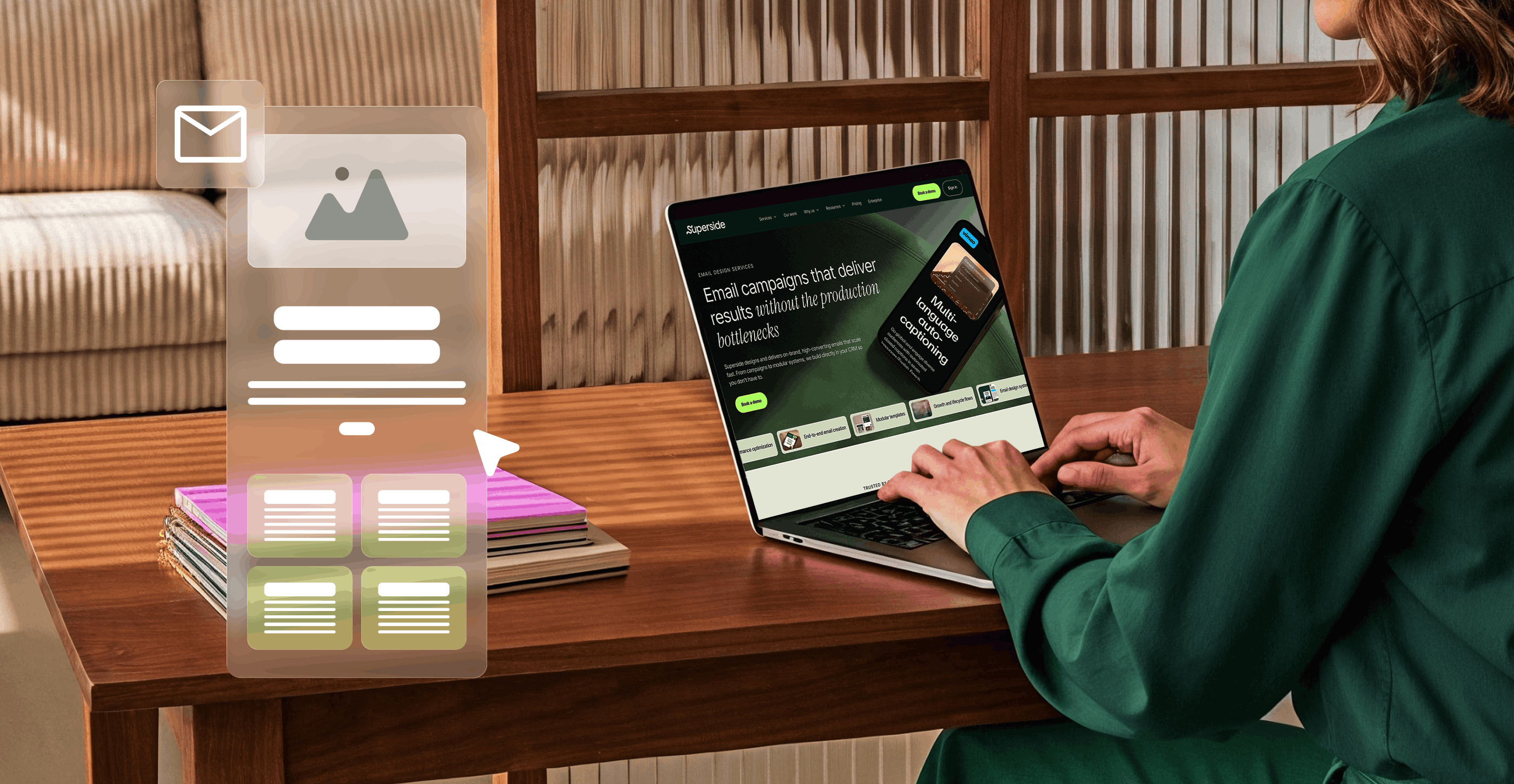
Most enterprise email problems are system problems, not content problems. Modular email design fixes that by replacing one-off layouts with a library of reusable, CRM-native modules that any team can assemble. This guide covers what modular email design actually is, why it matters most for enterprises, how it connects to your broader design system and what a full implementation looks like across design, CRM development, QA and governance. It also includes practical starting points for messy email ecosystems and insights from Jude Wasfi, Associate Creative Director at Superside.
Many enterprise marketing teams blame poor email performance on copy or design, when the real issue is the production workflow.
On the surface, email programs look functional: campaigns go out, lists are managed and performance is acceptable. But underneath, things are messy. Teams build layouts from scratch and struggle to roll out improvements across campaigns, especially in environments that rely on high-volume email production.
If every email looks like it came from a different planet, that is not a bad email issue, that is a system issue. If the rules are vibes, you are going to pay for it in QA.

This is the kind of problem modular email design solves. Instead of treating every email as a one-off project, the entire channel is treated like product or web design: built on a system of reusable components.
The benefits are practical: a shared module library, a more efficient creation process, stronger brand consistency and a setup that makes testing, automation and future campaigns easier to manage.
This article unpacks what modular email design is, why it matters for enterprises and how a serious modular setup can change how you run this channel, with insights from Jude Wasfi, Associate Creative Director at Superside.
What modular email design actually is

The term "modular" is often thrown around in design and marketing conversations. But in enterprise email design, it describes a very specific approach.
A modular email system is built from reusable sections (modules) that can be combined in different ways. Instead of designing a new layout for every campaign, teams draw from a library of pre-approved building blocks:
- Hero sections for different message types
- Text-and-image content blocks for product, editorial or educational content
- Feature highlights and promotional units
- Testimonial and social proof strips
- Structural elements like dividers, spacers and compliance blocks
Each module works independently but fits within the broader system.
Every module follows the same brand rules, is optimized for accessibility and responsiveness and works across major email clients. Ideally, they're built directly into your CRM so teams can quickly assemble on-brand campaigns.
Modular design still leaves room for flexibility. Teams can combine modules in different orders, swap variations or adjust content depending on the campaign.
Note the difference: A template is a fixed email layout with limited flexibility. A modular system uses a library of reusable components to assemble many different email structures from the same building blocks.
Why modular email design matters most for enterprises
If your team sends a monthly newsletter and the occasional promotional email, you might get away with one or two templates.
But enterprise email marketing is more complex. Multiple teams send campaigns and automated flows to different audiences, regions and lifecycle stages. Email supports marketing, product comms, internal messaging and more. In this environment, ad hoc email design quickly leads to chaos.
Modular design is treating email like a product, not an arts and crafts project. We are snapping Lego together, not reinventing the wheel every send.
Here's what modular, scalable email design unlocks:
1. Removes design and dev as a constant bottleneck
Without modular design, email marketing becomes a constant cycle of new layouts and inevitable bottlenecks. Every campaign requires a new build, and teams often resort to copying and patching fragile HTML to keep things moving.
A well-built modular system changes this. Teams assemble emails from existing building blocks and make small adjustments for the specific campaign or program. Design and development focus on improving the system instead of firefighting one-off layouts.
2. Keeps your brand coherent in inboxes you don't control
Your emails don't arrive in a single, predictable place. They show up on mobile clients with uneven support, in dark-mode interfaces and in email clients that block images by default.
Now imagine one designer structures the layout a certain way, another experiments with fonts and a third moves the CTAs around. Over time, these small differences compound: emails become harder to scan, the structure feels unfamiliar and designs drift off-brand.
Inconsistent design does not explode trust, it leaks it. Consistency is not boring, it is recognition.
Modular email design introduces the structure and repetition that solve these problems. Across campaigns, typography, spacing and layout behave the same way. CTAs are instantly recognizable. Brand elements appear where they should. Users can scan faster, recognize key elements sooner and move through content quickly.
3. Makes experimentation realistic instead of aspirational
Testing and optimizing elements in traditional email workflows is time-consuming. With a modular system, the structure is flexible and experimentation is built in. Teams can test variations at the module level, compare performance and reuse what works across future campaigns.
Because modules are reused across campaigns, performance patterns become easier to spot. Winning patterns can be adopted as defaults. Weaker ones can be retired. Over time, the system collects proven patterns that steadily improve the baseline performance of the channel.
4. Connects your design system to your CRM, not just Figma
Many brands invest in strong design systems for product and web. Email often sits outside that system, running on a separate stack with different constraints and different teams.
When email components are designed using the same principles that guide product and web, they behave like a true extension of the broader system. And when those modules are built directly inside the CRM, teams gain the structure to produce consistently high-quality emails. Email stops being a second-tier channel and becomes another strong platform where your brand shows up clearly.
Modular email design and design systems: One mindset, different constraints
Design systems and modular email design share the same principle: reusable components that ensure brand consistency and speed. The difference is the environment.
Email design is like web design, except the browser is angry and stuck in 2007. In email, you are not designing a layout, you are designing something that has to survive.
Email clients have limited CSS support, inconsistent rendering and strict performance constraints. You can't drop a product component library into an email template. What works in a browser won't necessarily work in Outlook or Gmail.
Successful modular enterprise email design solves this by keeping the visual language consistent with the rest of the brand while purpose-building components for email. In practice, that means:
- Defining email modules that echo your global styles
- Adjusting content density for quick scanning
- Establishing rigid rules for buttons, typography and spacing
- Setting patterns for mobile-first layouts that degrade gracefully in older clients
- Considering how your brand shows up in plain text or low-image environments
When done well, the email experience reflects the same brand language as the product and website while behaving reliably in the unpredictable world of the inbox.
Why CRM-native email design and development isn't optional
Modular email design becomes truly useful only when modules are implemented directly within the CRM or email service provider (ESP). Here's why:
Components that live where the work happens
When each email component sits within the CRM, teams work with configurable blocks that contain clearly defined fields for text, images and links. These modules can also support dynamic content and personalization and they're structured to work with predefined tracking conventions, UTM rules and analytics setups.
The workflow becomes far simpler. Team members without deep technical knowledge don't have to edit code or duplicate old templates. They combine prebuilt modules that already follow your brand's design and UX standards.
Built for automation, not just blasts
Most enterprise teams don't send occasional emails. They run numerous automated campaigns and programs: onboarding flows across regions, nurture streams, lifecycle messaging, product-triggered notifications and renewal journeys.
If modular components aren't properly built within the CRM, these programs quickly become fragile. Layouts break, personalization behaves unpredictably and teams spend too much time troubleshooting.
With CRM-native development, modules remain stable when triggered by different audiences or events. They can be reused across programs without unexpected layout issues. Personalization and conditional content also behave consistently because the modules were designed for those scenarios from the start.
Structured for performance and reliability
Reliability also depends on how the underlying code is built. Different email clients behave differently, so modules need simple, resilient structures that render correctly across clients. Images need sensible fallbacks and clear alt text. Accessibility considerations like sufficient contrast and touch-friendly button sizes should be built in from the start.
The advantage of building modules carefully once is that the reliability carries over every time they're reused. Each new email inherits the same structure, safeguards and predictable behavior.
The best email designers do not just design the happy path. They design the 'what happens in Outlook at 9am on a Tuesday' path. When QA feels like a haunted house, it is not a one-off mistake, it is the foundation.
How to build a modular email system that combines design, CRM development and QA

Superside, the world's leading AI-first creative partner, has helped many global enterprises design, build and implement modular email systems that integrate design, CRM development, QA and governance. Being AI-first means AI isn't just powering individual tools. It's embedded across the entire creative model, from how our teams work to how AI-powered workflows speed up delivery and quality control.
Drawing on this experience, here's what a modular email system looks like in practice:
1. Start with what you actually use
Before anyone designs a single module, the first step is to understand how the channel is used within your enterprise. Identify the most common email types, high-impact flows and production bottlenecks. In most companies, a few core categories quickly emerge:
- Lifecycle and growth campaigns
- Promotional and seasonal campaigns
- Product announcements and feature updates
- Transactional and operational emails
- Internal communications
- Localized or segment-specific sends
Once the categories are clear, you can design your module library around the real jobs emails need to perform. For example, a bold hero module might support major announcements while a softer version introduces educational material.
2. Design the UX and UI at the module level
Each module should follow a clear scanning path and consistent typographic rules while echoing the brand's broader visual language. Key decisions at this stage include:
- Which content fields each module requires
- How images should be used (and how modules behave without them)
- How modules respond at smaller mobile widths
- How text expansion, translation or dynamic content affects layout
This is where you're effectively creating an email design system that can sit comfortably next to your web and product systems.
3. Assemble reference layouts from the modules
Once the module library takes shape, create a few reference layouts that demonstrate how modules come together. These might represent a typical campaign email, a newsletter-style content roundup, a product update or an internal communications format.
The idea isn't to lock teams into rigid templates. Instead, they show how modules combine in practical ways and provide safe starting points for common email types. When non-designers see these, they should think "I understand how to use these pieces," not "this is a fixed template I can't change."
4. Build the modules directly inside the CRM
Once modules and layouts are finalized, development shifts them into your CRM. Each module should:
- Provide clear fields for text, images and links
- Be labeled in a way marketers can easily understand
- Work with the company's targeting and personalization rules
- Support responsive behavior at key breakpoints
This is a major workflow shift. Team members no longer deal with static, fragile HTML. They work with reusable, modular email templates designed for clarity, speed and flexibility.
5. Create the supporting system around it
Your modular email system should also include documentation that makes it easy for teams to use correctly:
- A simple email style guide
- Usage guidance for each module
- Do and don't examples for common edge cases
- Clear naming and tagging conventions in the CRM
- Governance rules: ownership, review workflows and a clear process for updating vs. requesting new modules
Without this layer, even a strong module library can drift over time.
6. Build quality and accessibility into the foundation
All modules should be thoroughly tested before rollout:
- Cross-client testing in major environments, including Outlook's default image blocking
- Device testing for key screen sizes
- Image-off scenario checks
- Light and dark mode visual checks (email clients apply dark mode differently)
- Accessibility checks against the Web Content Accessibility Guidelines (WCAG) for contrast, structure and link clarity
The result is a system where quality and consistency travel with the components. Instead of relying on manual checks for every content change, teams build reliability into the email channel's foundation.
Where to start if your email ecosystem is a mess

If you read this and think "our email setup is far too messy for this," you're exactly the kind of enterprise that could benefit from modular email architecture.
You don't have to fix everything at once. Two practical starting points:
1. Audit and pattern extraction
Pull a real sample from your current email programs and review them side by side. Patterns usually emerge quickly. Some layouts work well visually and structurally. Others reveal recurring problems like sections that collapse on mobile, inconsistent headers or messy spacing. From there, define an initial module set that addresses current pain without throwing away everything familiar.
2. Pilot a modular system for one program
Choose one meaningful flow or campaign family (an onboarding sequence or a core nurture track). Build a focused module library and CRM implementation around it. Prove the benefits in production, then extend to other programs. Read more about creative experimentation strategies that help teams test and scale.
This keeps adoption realistic and shows stakeholders what modular design looks like in their metrics and day-to-day work.
The future of enterprise email is modular and led by Superside
Modular email design is the natural result of applying design systems thinking and CRM-aware development to a channel most teams have treated as an afterthought.
For enterprise brands that rely on email to drive business growth, it's critical infrastructure. A modular email system:
- Replaces one-off layout work with a library of stable, reusable components
- Connects your brand's design system to what actually gets sent from your CRM
- Makes experimentation possible at the module and program level
- Supports campaigns, lifecycle flows, transactional messages and internal comms without reinventing the wheel
- Lets teams focus on strategy, content and performance instead of production hacks
Modules are guardrails. Faster work, fewer mistakes, more consistency. Without them, your inbox starts to look like a garage sale of design ideas.
Building a system like this often requires design, CRM development and operational expertise that isn't always available in-house.
That's where Superside comes in. As your creative team's creative team, we help you turn email into a scalable system that combines design systems thinking, CRM-native development, QA rigor and AI-powered workflows with exceptional creative talent.
FAQs

Drive action, not noise.
Meet the Superside Email Design Team.
Lifecycle strategy, design systems
and email performance at scale.
“Email design is not how an email looks.
It is how it performs.” - Jude Wasfi


Go global without headaches
Streamline the way you localize content and creative.
Partner with Superside to amp up your processes,
production and creative performance.
Drive action, not noise.
Meet the Superside Email Design Team.
Lifecycle strategy, design systems
and email performance at scale.
“Email design is not how an email looks.
It is how it performs.” - Jude Wasfi


